
Typing comfort was strongly positive, with reviewers calling the board soft, cushioned, comfortable, and suitable for long writing sessions.
Pros: sound dampening, switch feel
Cons: reliability, rapid trigger support

Typing comfort was strongly positive, with reviewers calling the board soft, cushioned, comfortable, and suitable for long writing sessions.
Pros: sound dampening, switch feel
Cons: reliability, rapid trigger support

Typing comfort was strongly praised, especially for long sessions, office work and cushioned typing.
Pros: RGB customization, keycap quality
Cons: frame rigidity, switch options

The gasket-mounted plate softens bottom-out and supports long work sessions, though the fixed angle may still bother some users.
Pros: overall satisfaction, build quality
Cons: portability, reliability

Typing comfort was strong, with reviewers describing long sessions as comfortable, pleasant, and easy.
Pros: typing feel, design aesthetics
Cons: value for money, materials quality

Typing comfort was a repeated strength for long sessions, with reviewers describing it as comfortable and pleasant to use.
Pros: battery life, portability
Cons: volume control, switch options

Typing comfort was praised for comfortable work use, a very good in-hand feel, and smooth typing comfort.
Pros: typing feel, design aesthetics
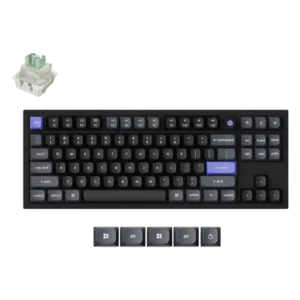
The shaped keycaps were praised for improving typing comfort.

Typing comfort is strong thanks to quiet switches, cushioned feel, supportive rest, and low-fatigue long-session use.
Pros: noise level, RGB lighting quality
Cons: rapid trigger support, extra gaming features

Typing comfort was usually praised for pleasant long-session use, but some reviewers disliked the keycap feel or missing layout features.
Pros: software quality, build quality
Cons: value for money, connectivity

Typing comfort was mostly positive for key shape and feel, but one reviewer noted hand fatigue from the heavier press.
Pros: build quality, keycap quality
Cons: switch options, portability

Typing comfort was praised due to light switch force, lower fatigue, and a more cushioned productivity feel.
Pros: value for money, build quality
Cons: switch options, hot-swappable switches

Long-session comfort is generally strong, with reviewers praising the curved profile and soft Topre feel. Some users report short-term fatigue while adapting to the angle and layout.
Pros: switch feel, typing feel
Cons: value for money, layout options

Typing comfort was mixed: several reviewers loved the layout and long-session feel, while others lost speed or preferred different switches for typing.
Pros: customization options, design aesthetics
Cons: switch options, key spacing

Comfort varies by setup: the switches can work well for everyday typing, but the upright fixed angle may tire some users. After adaptation, at least one reviewer found the compact...
Pros: overall satisfaction, customization options
Cons: value for money, switch options

Typing comfort was mixed, with some reviewers finding the board comfortable or a good all-rounder and others not enjoying long typing sessions.
Pros: customization options, typing feel
Cons: value for money, wrist rest quality

Typing comfort ranged from comfortable long writing sessions to fatigue and frustration, mostly depending on angle and layout tolerance.
Pros: portability, build quality
Cons: value for money, ergonomics

Typing comfort was highly preference-dependent, ranging from smooth and comfortable for long sessions to too soft or uncomfortable for extended productivity.
Pros: build quality, gaming performance
Cons: typing feel, typing comfort

Typing comfort was acceptable but not excellent in one review, mainly because the keycap feel limited the experience.
Pros: design aesthetics, build quality