
Typing comfort was praised for low fatigue, productivity gains, and faster-feeling typing once actuation was tuned.
Pros: size and form factor, typing feel
Cons: switch options, portability

Typing comfort was praised for low fatigue, productivity gains, and faster-feeling typing once actuation was tuned.
Pros: size and form factor, typing feel
Cons: switch options, portability

Typing comfort is very positive in the limited evidence, with reviewers describing long typing as joyful and non-cramping.
Pros: portability, value for money
Cons: software quality, key spacing
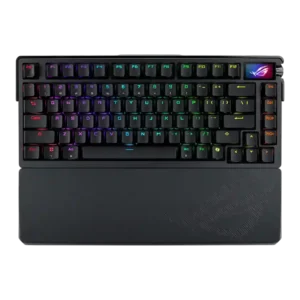
Typing comfort was a major strength, with reviewers calling it excellent for work, comfortable, and satisfying over extended use.
Pros: build quality, customization options
Cons: value for money, rapid trigger support

Typing comfort is very strong, with reviewers praising long-session comfort, reduced fatigue, and comfortable typing feel.
Pros: value for money, software quality
Cons: switch options, ergonomics

Typing comfort was consistently positive, with reviewers reporting no fatigue, comfortable keycaps, and a satisfying all-day typing experience.
Pros: build quality, switch feel
Cons: switch options

Typing comfort was a major strength, with reviewers adapting quickly and reporting comfortable, accurate, or error-free work sessions.
Pros: switch feel, battery life
Cons: volume control, media controls
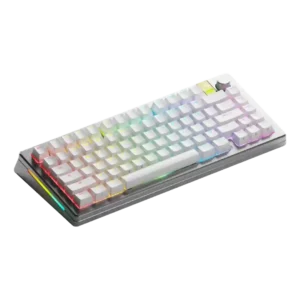
Typing comfort was a clear positive, with reviewers praising the typing angle, overall typing experience, and satisfying use.
Pros: customization options, gaming performance
Cons: value for money, software quality
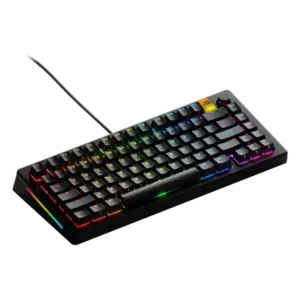
Typing comfort was generally favorable, helped by accurate typing, cushioning, and satisfying feedback, especially with preferred switches.
Pros: customization options, software quality
Cons: value for money, materials quality

Typing comfort was mostly positive when reviewers discussed comfortable keycaps, wrist support, and long typing sessions.
Pros: value for money, keycap quality
Cons: polling rate, acoustics
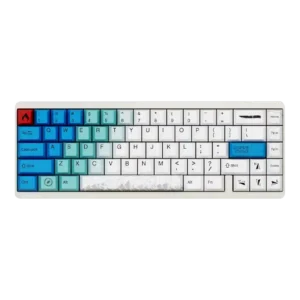
Typing comfort was praised in limited evidence, especially for long typing sessions.
Pros: design aesthetics, build quality
Cons: software quality, customization options

Typing comfort was mostly praised over long sessions, but some reviewers found the edge angle or lack of wrist rest uncomfortable.
Pros: software quality, switch feel
Cons: legend visibility, extra gaming features
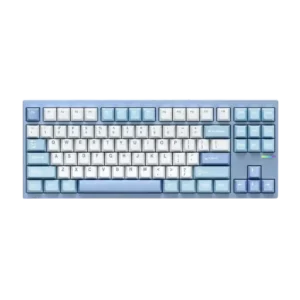
Typing comfort was praised across reviews for its bouncy gasket feel, smooth typing, and balanced flex, though one reviewer found it slightly firm.
Pros: customization options, build quality
Cons: connectivity

Typing comfort was often excellent for long writing sessions, but TechRadar disliked the taller keycap typing experience.
Pros: value for money, rapid trigger support
Cons: media controls, stabilizer quality

Typing comfort was usually positive thanks to smooth switches and low fatigue, but height caused discomfort for some reviewers.
Pros: value for money, design aesthetics
Cons: cable quality, ergonomics

Typing comfort was generally positive for low-profile use and long sessions, but cramped layout, shallow angle, and enthusiast feel concerns created mixed opinions.
Pros: value for money, battery life
Cons: hot-swappable switches, noise level

Typing comfort was mostly positive for longer sessions, but not universal, with one reviewer finding the stroke too long for their productivity preference.
Pros: gaming performance, switch feel
Cons: value for money, extra gaming features

Typing comfort is usually strong thanks to softness and reduced fatigue, but some reviewers found the board harsh or palm pressure problematic.
Pros: typing feel, gaming performance
Cons: software quality, value for money
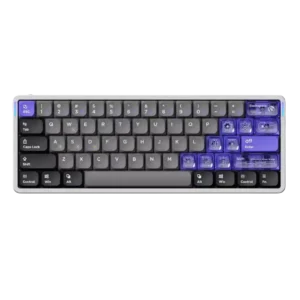
Typing comfort was praised by some reviewers as excellent, but others reported accuracy issues from the flat/light low-profile feel.
Pros: software quality, switch feel
Cons: connectivity, layout options
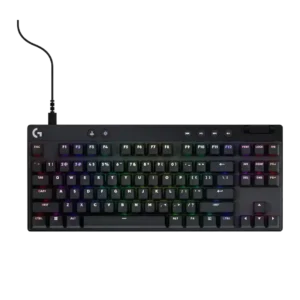
Typing comfort is generally good after adjustment, helped by PBT texture and familiar switch feel, but compact layouts can hurt comfort.
Pros: build quality, software quality
Cons: value for money, hot-swappable switches