#1

Wootility is one of the most consistently praised parts of the product: fast, intuitive, browser-accessible, cross-platform, and largely free of bloat. Reviewers especially like how easily it exposes advanced Hall...
Pros: overall satisfaction, customization options
Cons: value for money, switch options
#2

Software quality was broadly praised as easy, intuitive, web-based, and convenient, with caveats about wired-only use, clutter, and short-cable friction.
Pros: customization options, design aesthetics
Cons: switch options, key spacing
#3

Software quality was mostly positive because the web launcher was easy and streamlined, though setup could take time for some users.
Pros: value for money, build quality
Cons: switch options, hot-swappable switches
#4

Software quality was generally positive because reviewers found Keychron Launcher easy, intuitive, and strong, despite browser and customization limits.
Pros: build quality, keycap quality
Cons: switch options, portability
#5

Software quality was broadly praised for NuPhy.io’s clean web-based interface, though one reviewer found the console merely fine and another hit beta recognition trouble.
Pros: battery life, portability
Cons: volume control, switch options
#6

Software quality is generally praised as simple, polished, responsive, and web-accessible, with one notable complaint about underdevelopment.
Pros: noise level, RGB lighting quality
Cons: rapid trigger support, extra gaming features
#7
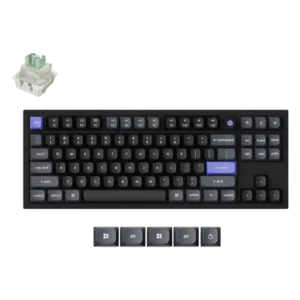
The web launcher was received positively for avoiding a separate app and enabling complex one-key actions.
#8

Software quality was good overall but inconsistent: reviewers praised the interface and web option, while others reported bugs, missing refinements, or basic functionality.
Pros: sound dampening, switch feel
Cons: reliability, rapid trigger support
#9

Software feedback leaned positive for web-based customization and ease of use, though one reviewer experienced an early stuck state.
Pros: design aesthetics, build quality
#10

Software quality was polarizing: many found CAM clean and easy, while one reviewer reported serious bugs and another felt overwhelmed.
Pros: software quality, build quality
Cons: value for money, connectivity
#11

Software quality was generally positive for ease of use and complete features, but not every reviewer found it deeply customizable.
Pros: RGB customization, keycap quality
Cons: frame rigidity, switch options
#12

Software quality was sharply mixed: Gear Link was praised as lightweight and easy, while Armoury Crate drew complaints about bloat, crashes, and setup friction.
Pros: typing feel, design aesthetics
Cons: value for money, materials quality
#13

Software quality was mixed: G Hub is powerful and often easy to use, but some reviewers found it clunky, unfriendly, or unreliable with profiles.
Pros: build quality, gaming performance
Cons: typing feel, typing comfort
#14

Software quality was mixed: reviewers liked Synapse's growing Mac support and clearer layout, but some encountered availability or dependency frustrations.
Pros: portability, build quality
Cons: value for money, ergonomics
#15

VIA itself is powerful and clean, but onboarding varies sharply: some reviewers loaded the JSON file in under a minute, while others struggled with recognition and vague instructions.
Pros: overall satisfaction, build quality
Cons: portability, reliability
#16

Software quality was split: reviewers liked clean, easy web configuration, but some wanted offline access and deeper macro tools.
Pros: typing feel, design aesthetics
#17

Software quality was mixed: Synapse enables deep tuning and profiles, but reviewers repeatedly called it bloated, confusing, finicky, or overwhelming.
Pros: customization options, typing feel
Cons: value for money, wrist rest quality
#18

The keymap software is simple rather than powerful. Saving remap files is useful, but Linux support is absent and the overall feature set feels secondary compared with enthusiast tools.
Pros: switch feel, typing feel
Cons: value for money, layout options
