
Ergonomics were praised in one 8K review for comfortable spacing, angle, and low-strain long sessions.
Pros: customization options, typing feel
Cons: value for money, wrist rest quality

Ergonomics were praised in one 8K review for comfortable spacing, angle, and low-strain long sessions.
Pros: customization options, typing feel
Cons: value for money, wrist rest quality

Ergonomics improve once the layout is learned: Control, Backspace, and Fn functions sit closer to the home row and reduce hand travel. The learning period is the main barrier to...
Pros: switch feel, typing feel
Cons: value for money, layout options

Ergonomics were positive where covered, mainly due to the wrist rest and FR4/typing changes that improved comfort.
Pros: typing feel, design aesthetics
Cons: value for money, materials quality

Ergonomics were praised for the low height, adjustable feet, relaxed hand position, and reduced strain over longer sessions.
Pros: build quality, gaming performance
Cons: typing feel, typing comfort

Ergonomics were generally positive thanks to angle adjustment, wrist rests, modular positioning, and reduced reach, though magnetic feet had some robustness caveats.
Pros: sound dampening, switch feel
Cons: reliability, rapid trigger support
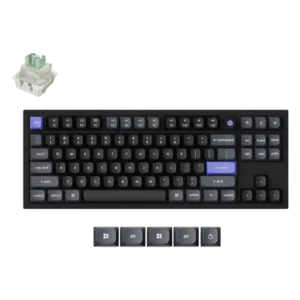
The keycap shaping was praised for creating a more ergonomic feel.

Ergonomics were supported by the lighter switches reducing hand fatigue during use.
Pros: value for money, build quality
Cons: switch options, hot-swappable switches

Ergonomics scored well through finger-guiding keycaps, adjustable typing angles, and low-profile comfort for faster typing.
Pros: battery life, portability
Cons: volume control, switch options

Ergonomics were positive where reviewers mentioned the typing angle and a wrist position that felt more natural with the setup.
Pros: build quality, keycap quality
Cons: switch options, portability

Ergonomics are mostly positive due to adjustable feet and a comfortable magnetic wrist rest, with one reviewer wanting a thicker rest.
Pros: noise level, RGB lighting quality
Cons: rapid trigger support, extra gaming features

Ergonomics were generally praised for stability, grip, tilt options, and comfortable wrist positioning, though missing accessories limited comfort for some.
Pros: software quality, build quality
Cons: value for money, connectivity

Ergonomics were received positively through comfortable typing angle, adjustable height, and comfort-in-hand comments.
Pros: typing feel, design aesthetics

One reviewer directly liked the typing position, supporting a positive ergonomics score.
Pros: RGB customization, keycap quality
Cons: frame rigidity, switch options

The adjustable legs were viewed positively for typing angle control and satisfying physical feedback.
Pros: design aesthetics, build quality

Ergonomics were mixed: one reviewer liked the posture effect, while another disliked the always-angled stance.
Pros: customization options, design aesthetics
Cons: switch options, key spacing

Ergonomics were mixed to negative overall: some liked the flat angle, but many criticized the lack of adjustable feet and fatigue over time.
Pros: portability, build quality
Cons: value for money, ergonomics

The fixed six-degree angle and tall front edge divide opinion. Typing can still be comfortable, but users who want adjustable feet may need a wrist rest or another board.
Pros: overall satisfaction, build quality
Cons: portability, reliability

Ergonomics are a recurring weakness because the board has a fixed incline and no included wrist rest. The stock angle works for some people, but long sessions can cause fatigue...
Pros: overall satisfaction, customization options
Cons: value for money, switch options