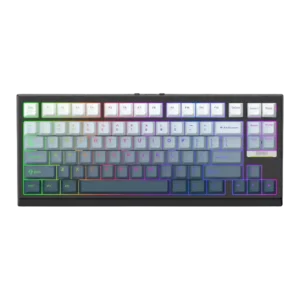
Typing comfort was consistently strong, with reviewers reporting comfort during long typing sessions and little to no discomfort.
Pros: gaming performance, key responsiveness
Cons: compatibility

Typing comfort was consistently strong, with reviewers reporting comfort during long typing sessions and little to no discomfort.
Pros: gaming performance, key responsiveness
Cons: compatibility
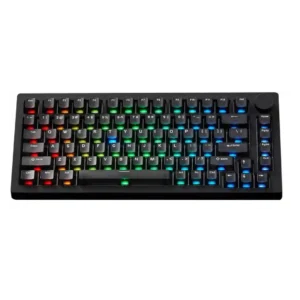
Typing comfort is positive overall, with reviewers calling it comfortable, accurate, pleasant for daily use, or a joy to type on.
Pros: build quality, customization options
Cons: reliability

Concave keycaps and a stable, cushioned feel support long typing sessions, though the tall KSA profile takes time to learn for some users.
Pros: build quality, overall satisfaction
Cons: portability, ergonomics

Typing comfort was positive, with reviewers mentioning low fatigue and comfortable long-session use.
Pros: switch feel, customization options
Cons: value for money, wireless performance

Typing comfort is strong, with reviewers praising the cushioned/gasket feel, light keys, and reduced fatigue. The board works well for long typing sessions despite its gaming focus.
Pros: macro customization, switch feel
Cons: software quality, value for money

Most reviewers found the low height, light force, and cushioned bottom-out comfortable for long sessions. Comfort can fall sharply for users who never adapt to the compressed layout.
Pros: overall satisfaction, macro customization
Cons: value for money, software quality

Typing comfort was mixed: several reviewers found it comfortable for long sessions, while others found the stiff feel tiring or productivity-hampering.
Pros: typing feel, build quality
Cons: value for money, wireless performance
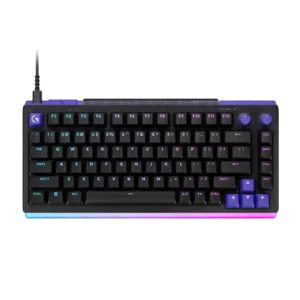
Many reviewers typed or played for hours with little fatigue, especially with the optional palm rest. Mixed switch types and the tall profile made long sessions less comfortable for a...
Pros: overall satisfaction, design aesthetics
Cons: value for money, wrist rest quality
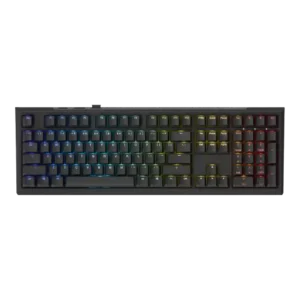
Typing comfort was generally strong, especially for long sessions, though one full-size reviewer felt strain during typing-heavy workdays.
Pros: value for money, gaming performance
Cons: software quality, customization options
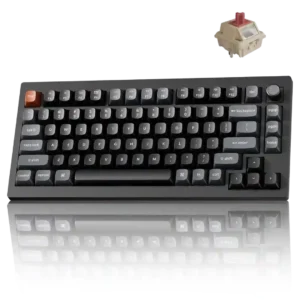
Comfort depends heavily on posture and session length. Some reviewers typed without fatigue, while others found the tall chassis and sculpted caps uncomfortable or less accurate during long writing sessions.
Pros: gaming performance, overall satisfaction
Cons: polling rate, frame rigidity
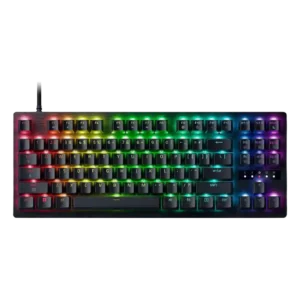
Typing comfort is the clearest tradeoff. Some reviewers enjoy the typing experience, but the most critical take says the high keycaps make finger movement and wrist position uncomfortable.
Pros: value for money, typing feel