#1

Customization is a defining strength, spanning per-key actuation, remapping, profiles, RGB, cases, plates, keycaps, and compatible magnetic switches. Reviewers consistently describe the board as unusually mod-friendly for a performance gaming...
Pros: overall satisfaction, customization options
Cons: value for money, switch options
#2

Customization was one of the strongest areas, especially per-key actuation, remapping, RGB, and performance tuning through CAM.
Pros: software quality, build quality
Cons: value for money, connectivity
#3

Customization was one of the strongest areas, with reviewers highlighting deep actuation, gaming, RGB, macro, and web-launcher controls.
Pros: customization options, design aesthetics
Cons: switch options, key spacing
#4

Customization options were a major strength, with reviewers praising actuation tuning, onboard controls, deep Synapse options, and flexible per-game settings.
Pros: customization options, typing feel
Cons: value for money, wrist rest quality
#5

Customization options were a major strength, spanning actuation, remapping, lighting, macros, profiles, and physical modification.
Pros: value for money, build quality
Cons: switch options, hot-swappable switches
#6

Customization options were a defining strength, with reviewers highlighting modular layouts, remapping, display keys, RGB, macros, and flexible setup choices.
Pros: sound dampening, switch feel
Cons: reliability, rapid trigger support
#7

Customization was one of the strongest themes, with reviewers praising personal actuation tuning, broad control, and key behavior flexibility.
Pros: typing feel, design aesthetics
#8

Customization was repeatedly praised across actuation settings, key mapping, macros, RGB, and per-key commands.
Pros: build quality, keycap quality
Cons: switch options, portability
#9
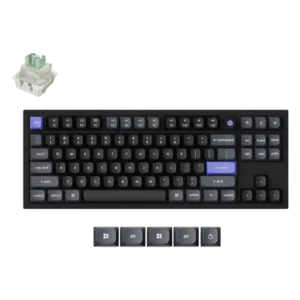
Customization was a clear strength, with both reviews emphasizing deep behavior tuning and flexible remapping.
#10

Customization options were a major strength, covering disassembly, OLED settings, RGB, macros, web tools, and component tinkering.
Pros: typing feel, design aesthetics
Cons: value for money, materials quality
#11

Customization was a major strength, especially per-key actuation, key remapping, RGB, macros, and deep G Hub tuning.
Pros: build quality, gaming performance
Cons: typing feel, typing comfort
#12

QMK/VIA support enables extensive remapping, lighting changes, macros and knob reassignment, making the board highly adaptable once configured.
Pros: overall satisfaction, build quality
Cons: portability, reliability
#13

Customization was praised for Hall-effect tuning, broad feature access, and the number of available controls.
Pros: design aesthetics, build quality
#14

Customization is praised across lighting, remapping, macros, layers, profiles, and web/software controls.
Pros: noise level, RGB lighting quality
Cons: rapid trigger support, extra gaming features
#15

Customization options were strong across key remapping, knob actions, lighting, and software functions, despite one reviewer calling advanced options limited.
Pros: battery life, portability
Cons: volume control, switch options
#16

Customization options were praised across software, inputs, lighting and key changes, with reviewers calling the tools intuitive or full-featured.
Pros: RGB customization, keycap quality
Cons: frame rigidity, switch options
#17

Customization was often useful through Synapse, remapping, lighting, and profiles, though some reviewers found limits around remappable keys and software dependence.
Pros: portability, build quality
Cons: value for money, ergonomics
#18

Customization is one of the most disputed areas. Some sources praise key remapping and aftermarket possibilities, while others criticize the Classic model’s restricted software mapping and proprietary Topre ecosystem.
Pros: switch feel, typing feel
Cons: value for money, layout options
