
Overall: 4.4/5
Wide color coverage and refined detail make visual design a good fit, particularly where MacBook consistency matters.
Pros: port selection, color accuracy
Cons: built-in speakers, speaker quality

Overall: 4.4/5
Wide color coverage and refined detail make visual design a good fit, particularly where MacBook consistency matters.
Pros: port selection, color accuracy
Cons: built-in speakers, speaker quality
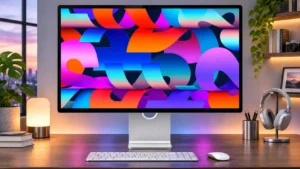
Overall: 3.7/5
The monitor's crisp detail, vibrant color and restrained design are well suited to many graphic-design workflows.
Pros: Monitor daisy-chaining, overall picture quality
Cons: value for money, refresh rate

Overall: 4.2/5
A crisp, bright, factory-calibrated 5K canvas is appealing for graphics work on a Mac.
Pros: refresh rate, HDR performance
Cons: value for money, Device compatibility

Overall: 4.3/5
Accurate sRGB selection makes image and graphic editing comfortable, with precise colors and plenty of desktop area.
Pros: black levels, sharpness
Cons: value for money, brightness

Overall: 4.1/5
Color-conscious picture settings can help graphic design tasks, but accuracy-minded users should favor restrained tone mapping and calibration.
Pros: PC gaming compatibility, reflection handling
Cons: color accuracy, VRR flicker