
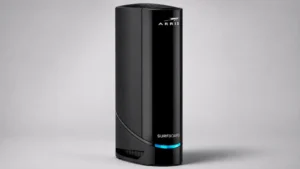
ARRIS SURFboard G20 Feature Scores
Overall Scorata score: 3.0/5
Based on 95 analyzed reviews · View source samples
Explore all 78 feature scores for ARRIS SURFboard G20, organized into pros and cons.
Scores by Feature
Summary
78 reviewed features-
Very positive 4.5-5.010 (13%)
-
Positive 3.5-4.412 (15%)
-
Neutral 2.5-3.48 (10%)
-
Negative 1.5-2.421 (27%)
-
Very negative below 1.527 (35%)
Pros
Sort
-
Replacing a rental gateway can produce substantial monthly savings, with one buyer saving $14 a month.
-
Wi-Fi 6 provides a noticeable speed improvement over older equipment in favorable conditions.
-
Peak Wi-Fi speeds can be excellent, and several owners see faster connections than with older gateways. Others report slower-than-expected performance.
-
Combining the modem and router saves room and reduces cables. Some owners still need a separate router to get the functionality they want.
-
The small upright housing is easy to fit in tight spaces and avoids the bulk of two separate devices.
-
Parental controls are a strong point, with schedules, website and device blocking, and simple family profiles.
-
Upload optimization is a strength, with one owner matching a 150 Mbps upload plan and an expert praising faster transfers.
-
The modem portion can perform well even when the app or router functions are troublesome.
-
Family profiles simplify device management, although unnamed devices can be tedious to identify manually.
-
Long-distance wireless performance compares favorably with a more powerful gateway in expert testing.
-
The companion app makes viewing and monitoring the network convenient when it works.
-
Wi-Fi and Ethernet can both be dependable when the gateway is working properly.
-
One buyer appreciated fast delivery on a weekend.
-
The administration panel offers a useful selection of security controls.
-
Ethernet can be more reliable than Wi-Fi, although one unit struggled to negotiate a link and repeatedly disconnected.
-
Parents can schedule internet access and manage when family devices are allowed online.
-
Simultaneous 4K streams can run smoothly, although some households experience device connection failures.
-
The gateway offers useful controls for blocking websites, apps and devices.
-
The housing feels sturdy and well constructed, though not as premium as higher-end gear.
-
Parents appreciate being able to turn internet access on and off when needed.
-
Some external routers connect seamlessly, but individual computers may fail to join the network even when phones connect.
-
Native mesh expansion is absent, but an owner successfully connected external extenders and wireless cameras.
Cons
Sort
-
Unexpected failures, defective units and repeated reboots undermine confidence in the hardware, despite some trouble-free ownership.
-
Repeated manual resets and spontaneous restarts are recurring complaints; one owner only needed a reset after a provider outage.
-
Some connections remain rock solid, but frequent disconnects, buffering and interruptions are a major source of frustration.
-
Several units work well initially but develop recurring problems or fail within weeks, months or around a year.
-
Previously registered or used units can arrive with another owner’s settings, preventing activation or warranty registration.
-
Some connections slow down unpredictably or require a reboot to recover normal speed.
-
Defective units, missing information labels and inconsistent behavior between replacements raise quality-control concerns.
-
Missing manuals, quick-start instructions and device information make offline troubleshooting difficult.
-
Troubleshooting can be difficult when provider activation and manufacturer support are separate, especially without a printed manual.
-
Wireless performance is strong in expert comparisons, but some households encounter unusable Wi-Fi or sluggish devices even when Ethernet works.
-
Failures near or after the warranty cutoff, validation problems and disputed warranty dates leave some owners without useful protection.
-
The controls can be intuitive after setup, but many buyers find installation and basic configuration frustrating.
-
Reliance on a smartphone app for setup frustrates owners when the app cannot connect or sign in.
-
The app offers convenient family controls and network management, but many owners find it buggy, outdated or difficult to use.
-
Installation can be quick and painless, but failed activation, app freezes and lengthy troubleshooting are common complaints.
-
The app-guided setup is easy for some buyers, but failed Wi-Fi detection, cloud problems and account issues derail it for others.
-
Satisfaction is sharply divided: some owners love the simple, fast gateway, while many return it after setup failures or recurring outages.
-
Login and account-recognition failures can block setup and settings changes, sometimes requiring a full reset.
-
Provider registration ranges from seamless to hours of unsuccessful calls; even supported providers can be difficult to activate with.
-
Recurring resets and repeated attempts to restore service make the gateway burdensome to maintain.
-
Missing troubleshooting instructions and a lack of offline support information make installation harder than it needs to be.
-
Experiences with cable providers vary considerably: successful connections and good speeds coexist with failed activations and intermittent service.
-
Helpful agents sometimes walk customers through installation for free; others encounter unhelpful advice, long calls, paywalls or unanswered requests.
-
Signal strength varies widely: some homes get good reception, while others see weak bars just feet from the gateway.
-
The web interface can expose more settings than the app, but login failures and changes that will not save limit its usefulness.
-
Basic network customization is possible, but settings that will not save and limited advanced controls frustrate some owners.
-
Avoiding modem rental charges can make the gateway a good investment, but buyers who experience failures feel their money was wasted.
-
Coverage is impressive in some single-story homes, yet other households struggle to get a usable signal even in small areas.
-
One buyer experienced repeated 2.4 GHz signal drops and very slow downloads.
-
One problematic unit could not establish its 5 GHz network at all.
-
Some rooms remain beyond reliable coverage, particularly in a larger single-level home.
-
Devices often appear as unknown, forcing users to match MAC addresses manually.
-
One unit failed to negotiate an Ethernet link automatically, even at lower speeds.
-
The firewall blocked some websites without enough fine-tuning options to resolve the problem.
-
One owner experienced cycling firmware and an unusable network despite successful activation.
-
Repeated freezing during setup prevented one buyer from getting online.
-
Port forwarding failed to function properly for an owner who needed more advanced networking.
-
One buyer received a power cord that would not work with the device.
-
The app’s perceived lack of updates leaves some owners unable to configure basic settings.
-
A buyer disputes the advertised compatibility with Comcast, making provider confirmation important.
-
A perceived support paywall frustrated an owner who needed help completing setup.
-
Wi-Fi calling failed for an owner who needed it because cellular reception was unavailable.
-
Some owners reach rooms their old gateway could not, while others still have bedrooms and bathrooms without adequate coverage.
-
Two gigabit Ethernet connections are restrictive for households needing several wired devices or faster networking.
-
A normal-looking status light can be misleading when the gateway is unable to pass traffic or connect to the internet.
-
Some owners get their subscribed speeds exactly, while others report throughput far below the service they pay for.
-
Wireless latency is competitive with several alternatives but not exceptional; some owners report substantial lag.
-
Some owners see meaningful speed or coverage improvements, but others prefer their old equipment after reliability problems.
-
The lack of a 6 GHz band limits newer devices and leaves faster wireless options unavailable.
-
Time controls are appreciated, but daily usage caps are specifically reported as unavailable in expert testing.
-
Gigabit-limited Ethernet restricts wired performance compared with faster multi-gigabit alternatives.
-
The short power adapter cable can make it difficult to position the gateway where desired.
-
Wi-Fi 6 and DOCSIS 3.1 are useful upgrades, but lack of newer bands and the need to replace the entire combo limit future flexibility.
-
Download speeds can match a subscribed plan, but a problematic unit delivered only 37 Mbps on an 800 Mbps service.
-
Smart-home device connectivity varies: wireless cameras can work well, while Alexa may suffer from unstable signals.
-
Website blocking is useful, but the lack of preset filtering categories makes it less convenient.
Use Cases
Best for
Sort
-
Replacing rented cable equipment can reduce clutter and recurring charges, although connection problems have driven some buyers back to their previous hardware.
-
Gigabit and slower cable plans can work well, but reaching the expected speed is not guaranteed.
-
Its straightforward all-in-one design suits basic home networking when activation and Wi-Fi work reliably.
-
Rental savings and a reasonable purchase price appeal to cost-conscious buyers when the equipment works as intended.
-
Family profiles, schedules and straightforward parental controls make it useful for managing children’s internet access.
-
Upload optimization helps make large file transfers less stressful.
Conditional or not ideal for
Sort
-
Video streamingSmooth 4K playback is possible, but buffering, grainy pictures and interruptions are frequent complaints from dissatisfied owners.
-
Long-term ownershipEarly failures and problems beginning around the end of the first year make long-term ownership a concern.
-
Large or multi-story homesLarge homes are a risky fit: some owners report good coverage, but others cannot reach distant rooms and may need a different network setup.
-
Small homes and apartmentsThe compact gateway is a good fit for apartments on paper, but some owners experience weak coverage even in small spaces.
-
Remote workUpload optimization is useful for remote work, but recurring outages can make the gateway unreliable for a workday; Ethernet may help.
-
Advanced network administrationAdvanced users may find the limited customization and problematic firewall and port forwarding too restrictive.
-
Online gamingGaming can be smooth when the connection is stable, but lag and slow loading make it an inconsistent choice.
-
Busy multi-device householdsMultiple simultaneous streams can work well, but some households encounter device connection issues or performance drops.
-
Video conferencingFast uploads can help video calls, but connection drops can interrupt meetings.
-
Standalone router useThe router portion disappoints some owners who need reliable wireless service or more advanced network functions.
-
General everyday useStrong peak speeds are useful for everyday internet access, but some owners develop slow loading across routine tasks.
-
Smart home networkingWireless cameras and extenders work well in one setup, while another owner reports Alexa disruptions.
-
Android device useAn outdated Android app prevented one buyer from completing setup properly.
-
Apple ecosystem householdsOwners of Apple computers without Ethernet ports may struggle if wired setup becomes necessary.
-
Cable telephone serviceA difficult Xfinity activation led to a warning against purchasing the gateway for Xfinity voice service.
-
Console gamingA PS5 owner reports poor connectivity and substantial lag on Spectrum.
-
First-time router setupThe apparent dependence on smartphone-based installation is a poor fit for buyers who need a simpler alternative.
-
iPhone useAn iPhone owner who depends on Wi-Fi calling could not get that feature to work.
-
Competitive wireless gamingA wired connection is preferable for latency-sensitive gaming, despite relatively competitive Wi-Fi latency.
-
Mesh network expansionThere is no native mesh expansion, making it less attractive for homes needing expandable coverage.
-
Multi-gigabit internetGigabit-only ports limit usefulness for faster internet connections requiring multi-gigabit networking.
-
Multiple wired devicesThe two Ethernet ports limit the number of directly connected wired devices.
-
Wi-Fi 7 device householdsWi-Fi 7 devices cannot take full advantage of their newer capabilities on this Wi-Fi 6 gateway.