Best for accessibility features
Roku Pro Series (2025)
5.0 attribute score
Highest scored product for this attribute based on supporting review evidence.

Highest scored product for this attribute based on supporting review evidence.
Balances the attribute score, supporting reviews, and overall product strength.
Has the broadest review evidence for this attribute.
Strongest overall product among items with scored evidence for this attribute.
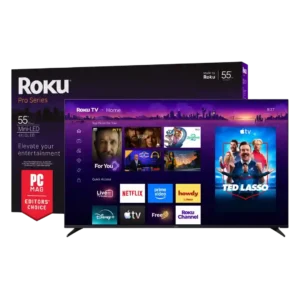
Overall: 4.4/5
Roku’s large tiles, straightforward navigation, and approachable design make the platform especially friendly for less tech-savvy viewers.
Pros: overall satisfaction, picture quality
Cons: reliability, portability and versatility

Overall: 4.4/5
Accessibility options are extensive and easy to reach, while eye-care features can reduce fatigue during long viewing sessions.
Pros: picture quality, peak brightness
Cons: value for money, sound quality

Overall: 3.8/5
Real-time subtitle translation is welcome for multilingual households and foreign-language programming.
Pros: Wireless One Connect compatibility, art display mode
Cons: value for money, input lag

Overall: 4.1/5
Simultaneous audio through the TV speakers and Bluetooth hearing devices is especially valuable for mixed-hearing households.
Pros: picture quality, gaming performance
Cons: value for money, sound quality

Overall: 3.9/5
Voice Zoom can lift dialogue out of busy mixes, and simultaneous Bluetooth headphone plus speaker output is especially useful when viewers need different listening levels.
Pros: gaming performance, peak brightness
Cons: HDMI 2.1 support, HDMI 2.1 port count

Overall: 3.8/5
The remote’s raised, tactile buttons can be located without looking, helping make the TV easier to navigate for people with limited vision.
Pros: HDMI 2.1 port count, overall satisfaction
Cons: HDR performance, bass performance

Overall: 3.1/5
Closed captions, high-contrast menus and zoom controls improve readability and help when dialogue is hard to hear.
Pros: picture quality, overall satisfaction
Cons: sound quality, black levels

Overall: 2.6/5
Closed captions are useful when conversation or household noise makes dialogue hard to hear.
Pros: sound quality, picture quality
Cons: value for money, local dimming performance

Overall: 4.2/5
Resizing menus and adjusting transparency give useful flexibility for people who need clearer or more accessible controls.
Pros: high-refresh-rate gaming, gaming performance
Cons: value for money, bass performance

Overall: 3.3/5
Closed captions are a useful accessibility option when voices need to remain readable in a noisy household.
Pros: color accuracy, upscaling quality
Cons: picture quality, sound quality

Overall: 4.4/5
Conversational voice control can make content, settings, and general information easier to reach for users who benefit from hands-free interaction.
Pros: picture quality, value for money
Cons: stand quality, judder handling

Overall: 3.3/5
Accessibility feedback is strongly negative in the reviews that depend on it. Voice Reader and descriptive-audio behavior created serious problems for blind users rather than simplifying navigation.
Pros: picture quality, overall satisfaction
Cons: value for money, reliability

Overall: 4.0/5
Closed-caption controls are functional but cumbersome, with one owner frustrated by the number of steps needed to toggle captions.
Pros: overall satisfaction, picture quality
Cons: reliability, build quality