Best for side button quality
Logitech G Pro Wireless
4.6 feature score
Highest scored product for this feature based on supporting review evidence.

Highest scored product for this feature based on supporting review evidence.
Balances feature score, supporting reviews, and overall product strength.
Has the broadest review evidence for this feature.
Strongest overall product among items with scored evidence for this feature.
Showing Logitech only. Switch back to all brands anytime.

Side button quality was highly praised for placement, click feel, modularity, and ambidextrous flexibility.
Pros: polling rate, motion consistency
Cons: MOBA gaming suitability, durability over time
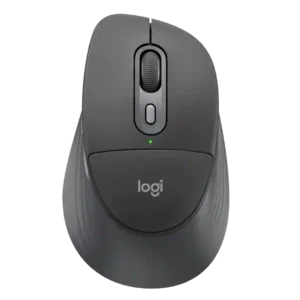
The side buttons have distinct, reassuring tactile feedback and are easy to recognize by feel.
Pros: Accuracy and tracking precision, materials quality
Cons: onboard memory, tilt wheel support
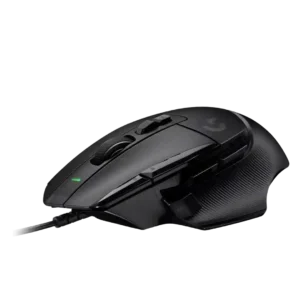
Side button quality was a major strength for most reviewers because the thumb/sniper button was easier to reach and customizable, though small-hand reach was a concern.
Pros: Accuracy and tracking precision, click latency
Cons: claw grip comfort, portability

Side buttons were praised for placement, snappiness, and quality, with no major issues reported.
Pros: 2.4GHz connectivity, connection stability
Cons: cable flexibility, handedness options
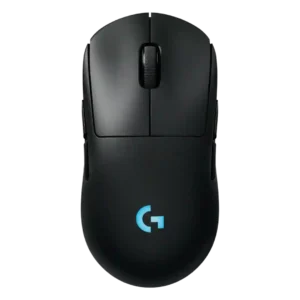
Side button quality is mostly strong thanks to low wobble and good feel, with one reviewer noting more travel than the Superlight 2.
Pros: palm grip comfort, handedness options
Cons: Bluetooth support, MMO gaming suitability

Side button quality was mixed: several reviewers found them responsive and easy to hit, while others called them merely OK, mushy, or less crisp.
Pros: click latency, onboard memory
Cons: lift-off distance, debounce customization
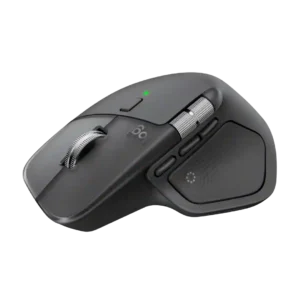
Side buttons are usually considered easy to find and useful, especially after Logitech separated or repositioned them. Some reviewers needed time to adapt or found the spacing imperfect.
Pros: software usability, software stability
Cons: double-click reliability, warranty
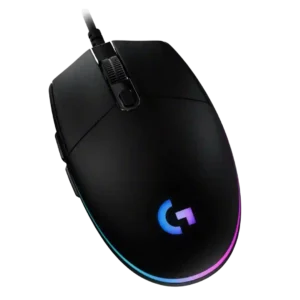
Side button quality is mixed: several reviewers liked their accessibility and click feel, while others found them small, thin, mushy, or too tiny for comfort.
Pros: acceleration control, dock compatibility
Cons: portability, onboard memory
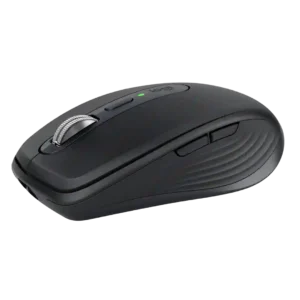
The side buttons are useful and easy to remap, but their feel is less universally praised than the main clicks. Some find them stiff or slightly hollow, while others like...
Pros: motion consistency, programmable buttons
Cons: palm grip comfort, hand support

Side button quality is adequate to good, with tactile clicks and usable placement, but not all reviewers find them premium.
Pros: left and right click quality, dock compatibility
Cons: Bluetooth support, cross-platform compatibility
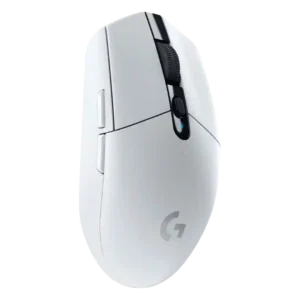
Side button quality was mixed, with praise for placement but criticism for non-swappability, extra resistance, or mushy feel.
Pros: motion consistency, wireless latency
Cons: Bluetooth support, acceleration control

Side button feedback was mixed: some reviewers liked the improved shapes and placement, while many complained about accidental presses or squeaks.
Pros: Accuracy and tracking precision, motion consistency
Cons: handedness options, lift-off distance

Side button quality was mixed: reviewers liked the improved/swappable sniper-style button, but several struggled with reach or accidental fat-fingering.
Pros: click latency, motion consistency
Cons: software stability, cross-platform compatibility

Side buttons were the most divisive control: some found them easy and great in game, while many criticized mushiness, high placement, or extra travel.
Pros: motion consistency, acceleration control
Cons: cable flexibility, cross-platform compatibility

Side button quality was the most contested control area, ranging from well-placed and improved to repeatedly described as mushy.
Pros: macro support, fingertip grip comfort
Cons: weight tuning, cable flexibility