If you want better hand support
Choose Logitech MX Master 3S. It scores 5.0 vs 1.8 for hand support, with a 4.2 overall score.

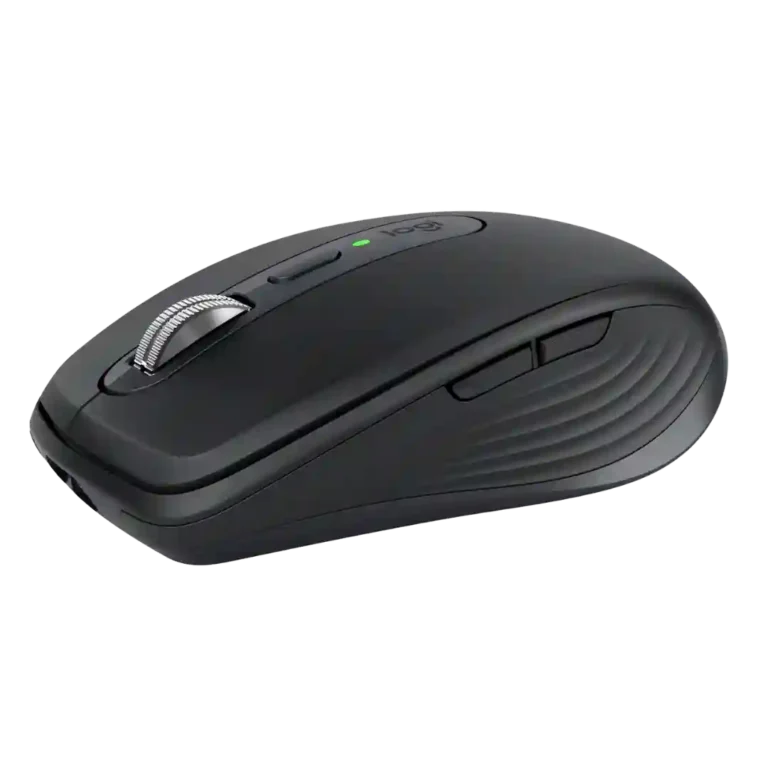
Choose it for travel, quiet shared spaces, precise any-surface tracking, and multi-device productivity. Skip it if you have large hands, want all-day palm support, or need a gaming-focused mouse.
Travelers, hybrid workers, and multi-device users who want precise tracking, quiet operation, fast scrolling, and deep software customization in a compact mouse.
Large-handed palm-grip users who need full-day support, competitive gamers who prioritize very low latency, or buyers who only need a basic inexpensive wireless mouse.
The MX Anywhere 3S earns its strongest praise as a compact productivity mouse that travels easily without giving up precise tracking, excellent MagSpeed scrolling, quiet tactile clicks, long battery life, or useful multi-device tools. Logi Options+ adds meaningful button remapping, app profiles, Flow, and Smart Actions, while the sensor works reliably on glass and other improvised surfaces. The tradeoff is the same compactness that makes it so portable: larger hands can feel cramped and under-supported during long sessions, and the limited hardware controls lag larger productivity mice. Value is also debated because the price is premium and a Logi Bolt receiver is often not bundled. It is excellent for mobile work, but less compelling as a large-handed all-day desk or competitive gaming mouse.
Compared with other Mice, this product is above average in size, multi-device support, click noise, near average in battery life, hand size compatibility, below average in click latency, palm grip comfort, button placement.
| Attribute | This product | Category average | Difference |
|---|---|---|---|
| click latency | 2.0 | 4.7 | -2.7 |
| palm grip comfort | 1.7 | 4.0 | -2.3 |
| size | 4.6 | 3.2 | +1.5 |
| multi-device support | 5.0 | 3.5 | +1.5 |
| click noise | 4.9 | 3.6 | +1.3 |
| software stability | 5.0 | 3.3 | +1.7 |
| portability | 4.9 | 3.7 | +1.2 |
| free-spin scrolling | 4.8 | 3.6 | +1.2 |
Choose Logitech MX Master 3S. It scores 5.0 vs 1.8 for hand support, with a 4.2 overall score.
Choose Logitech Signature Comfort Plus M850 L. It scores 4.0 vs 3.2 for hand size compatibility, with a 4.3 overall score.
Choose Turtle Beach Kone II. It scores 5.0 vs 2.0 for click latency, with a 4.3 overall score.
Choose Turtle Beach Kone II Air. It scores 4.8 vs 1.7 for palm grip comfort, with a 4.3 overall score.
Products reviewers directly compared with this model, grouped into quick takeaways.
Yes. Its compact size, low weight, long battery life, and ability to track on improvised surfaces are among its most consistently praised strengths.
Not consistently. Small and medium hands generally fit it well, while large-handed users often report cramped fingers and limited palm support during long sessions.
Yes in the supplied testing. It tracked well on glass, wood, fabric, glossy surfaces, and other makeshift work areas, with only an extreme mirror-like surface causing trouble in one account.
The main clicks are repeatedly described as barely audible or close to silent while still retaining crisp tactile feedback, making them well suited to shared and quiet spaces.
Battery life is consistently strong, with weeks of use between charges and the 70-day claim viewed as plausible. USB-C quick charging can provide about three hours of use from roughly one minute on the cable.
Yes. It can store up to three device connections and switch between them quickly, while Logitech Flow can extend multi-computer workflows with cursor and clipboard sharing.
It is capable enough for casual or temporary gaming, but it is not a competitive gaming mouse. Bluetooth latency, limited controls, and productivity-focused ergonomics are recurring limitations.
These are a few of the reviews included in our analysis.



Logitech MX Anywhere 3S pros and cons, Amazon price history. Liked: Works on any surface Great DPI range Disliked: The plastic feels a bit cheap
Logitech MX Anywhere 3S — compact Darkfield 8K mouse with MagSpeed scrolling, Quiet Clicks, and multi-device wireless. The top compact/travel...
Discover if the Logitech MX Anywhere 3S is the perfect travel mouse for you. We review its 8,000 DPI sensor, quiet clicks, and multi-device...
Logitech MX Anywhere 3S reviewed after three weeks on Windows, Mac and ChromeOS. MagSpeed scroll, quiet clicks, any-surface tracking. Here is...
We review the new MX Anywhere 3S, Logitech's latest wireless mouse with improved design, features, and battery life.
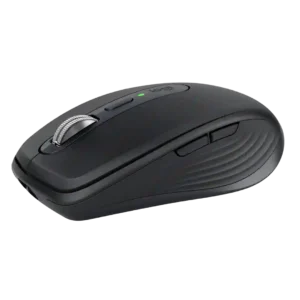
Best for travel, quiet shared spaces, precise any-surface tracking, and multi-device productivity. Skip it if you have large hands, want all-day palm support, or need a gaming-focused mouse.
Pros: motion consistency, programmable buttons
Cons: palm grip comfort, hand support

Choose it if you want a premium MMO/productivity mouse with 12 adjustable side buttons, strong battery life, and Stream Deck integration. Skip it if you need an ultralight FPS mouse,...
Pros: click latency, macro support
Cons: firmware reliability, tilt gesture controls

Choose the Kone II if you want a large, ergonomic mouse with deep customization and strong sensor performance. Skip it if you have small hands, need an ambidextrous mouse, or...
Pros: click latency, motion consistency
Cons: handedness options, portability

Good if you want a large, ergonomic wireless mouse with long battery life and deep customization. Skip it if you have small hands, prioritize ultralight FPS speed, or want the...
Pros: left and right click quality, software stability
Cons: polling rate, cross-platform compatibility