Best for ecosystem integration
Logitech MX Anywhere 3S
5.0 feature score
Highest scored product for this feature based on supporting review evidence.

Highest scored product for this feature based on supporting review evidence.
Balances feature score, supporting reviews, and overall product strength.
Has the broadest review evidence for this feature.
Strongest overall product among items with scored evidence for this feature.
Showing Logitech only. Switch back to all brands anytime.
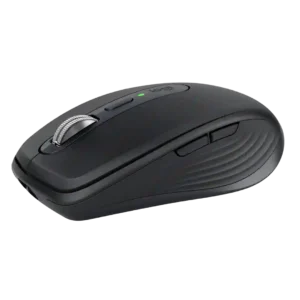
Logitech Flow and compatibility with other MX gear make the mouse especially useful in a multi-computer Logitech setup. Cursor movement, clipboard sharing, and coordinated device switching can make separate machines...
Pros: motion consistency, programmable buttons
Cons: palm grip comfort, hand support
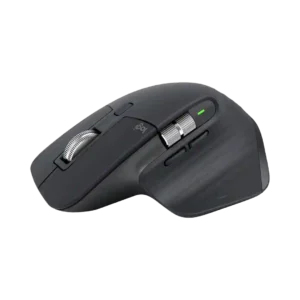
Logi Flow and integration with other Logitech devices are strong productivity features, especially for moving the pointer and clipboard across multiple computers.
Pros: motion consistency, left and right click quality
Cons: switch durability, onboard memory

Logitech Flow worked smoothly in testing, allowing text to move between two computers without manually changing Bluetooth sources.
Pros: Accuracy and tracking precision, materials quality
Cons: onboard memory, tilt wheel support

Ecosystem integration was strong where mentioned, especially G Hub plus Logitech hardware features that set the mouse apart.
Pros: motion consistency, acceleration control
Cons: cable flexibility, cross-platform compatibility

Ecosystem integration was a strength, with praise for shared receivers, G Hub device management, Lightsync, and Logitech peripheral syncing.
Pros: Accuracy and tracking precision, motion consistency
Cons: handedness options, lift-off distance

Ecosystem integration was praised for Logitech presets, backward compatibility, and community/profile support.
Pros: macro support, fingertip grip comfort
Cons: weight tuning, cable flexibility

Ecosystem integration is positive where reviewers mention PowerPlay, as it can make charging effectively disappear during use.
Pros: left and right click quality, dock compatibility
Cons: Bluetooth support, cross-platform compatibility

Ecosystem integration was praised when the G705 could share Aurora/Logitech receivers or pair with another LIGHTSPEED device on one dongle.
Pros: 2.4GHz connectivity, connection stability
Cons: cable flexibility, handedness options

Ecosystem integration has limited positive evidence, with reviewers liking easy lighting sync and Windows dynamic-lighting support.
Pros: acceleration control, dock compatibility
Cons: portability, onboard memory

Ecosystem integration was a plus for users in Logitech’s software and keyboard ecosystem, including G-Shift and app integrations.
Pros: motion consistency, wireless latency
Cons: Bluetooth support, acceleration control

Ecosystem integration was positive, especially one-receiver pairing, Logitech-device syncing, and reduced cable or USB clutter.
Pros: click latency, motion consistency
Cons: software stability, cross-platform compatibility

Ecosystem integration evidence was limited but positive where Logitech device lighting sync was demonstrated.
Pros: polling rate, motion consistency
Cons: MOBA gaming suitability, durability over time

Ecosystem integration was supported by TechRadar's positive take on G Hub integration working as intended.
Pros: click latency, onboard memory
Cons: lift-off distance, debounce customization
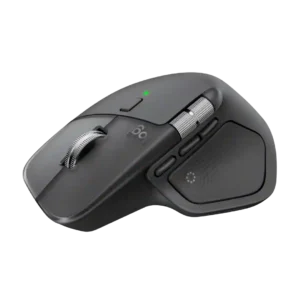
Integration with Logi Options+, Flow, Adobe tools, and Logitech’s broader ecosystem can make the mouse unusually powerful for multi-device creative work. Plugin coverage is still uneven.
Pros: software usability, software stability
Cons: double-click reliability, warranty