Best for low-resolution content handling
Samsung S90H
5.0 attribute score
Highest scored product for this attribute based on supporting review evidence.

Highest scored product for this attribute based on supporting review evidence.
Balances the attribute score, supporting reviews, and overall product strength.
Has the broadest review evidence for this attribute.
Strongest overall product among items with scored evidence for this attribute.

Older and lower-resolution sources hold up surprisingly well, with processing that preserves texture while avoiding heavy-handed cleanup.
Pros: glare resistance, black levels
Cons: Dolby Vision support, color gamut
HD, SD and older streams generally remain watchable and surprisingly detailed. Compression cleanup is effective, although extremely poor sources cannot become genuinely native 4K.
Pros: color volume, overall satisfaction
Cons: value for money, color accuracy

DVD and lower-quality video remain surprisingly detailed after scaling, though visible compression artifacts can persist.
Pros: black levels, contrast ratio
Cons: Dolby Vision support, stutter handling

HD, DVD and compressed video benefit from competent upscaling and artifact cleanup, preserving respectable detail.
Pros: cable management, design and appearance
Cons: value for money, Dolby Vision support

DVDs and lower-quality streams are handled competently, with intelligible fine detail and little oversharpening.
Pros: art display mode, design and appearance
Cons: overall satisfaction, HDMI port accessibility
Older programs, HD broadcasts, and standard-definition material remain comfortably watchable thanks to effective upscaling and cleanup.
Pros: picture quality, overall satisfaction
Cons: design and appearance, Dolby Vision support
DVDs and other older material are easier to watch after upscaling, without becoming truly native 4K.
Pros: overall satisfaction, color gamut
Cons: value for money, local dimming performance
Upscaling older sources works well, and useful zoom controls help with small-format programs; poor compressed streams may still show artifacts.
Pros: picture quality, contrast ratio
Cons: blooming control, glare resistance
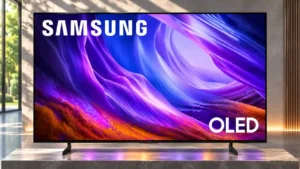
DVDs and standard-definition streams remain watchable, though the picture can be somewhat soft and fine details may disappear.
Pros: black levels, picture quality
Cons: glare resistance, reflection handling
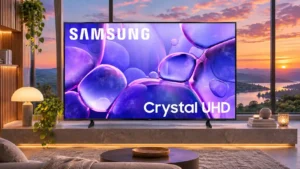
Lower-quality broadcasts may preserve jagged edges, blocks, or softness; HD input fares much better than 480p material.
Pros: color accuracy, upscaling quality
Cons: picture quality, sound quality

Older broadcasts and 720p sources remain watchable, especially when treated gently, but they are visibly softer than 1080p or native 4K.
Pros: picture quality, smart TV platform
Cons: value for money, refresh rate

Handling weak streams is inconsistent: some lower-resolution video looks cleaner, while macroblocking and pixelation often remain.
Pros: gaming performance, color accuracy
Cons: value for money, overall satisfaction

Noise cleanup comes with detail loss.
Pros: Large-screen immersion, overall satisfaction
Cons: value for money, black levels

Old or compressed video is watchable, but blockiness and softness often remain visible.
Pros: sound quality, picture quality
Cons: value for money, local dimming performance
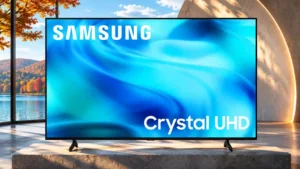
Lower-quality material can look soft, with artifacts from compressed feeds still prominent.
Pros: white balance accuracy, design and appearance
Cons: overall satisfaction, value for money

Old standard-definition video and poor cable feeds can look blurry, blocky or artificially smoothed despite the 4K processing label.
Pros: picture quality, 4K at 144 Hz support
Cons: sound quality, value for money

Older or low-quality sources can look soft, with fine text and small features harder to resolve.
Pros: picture quality, overall satisfaction
Cons: sound quality, black levels