
Profile switching was praised when the reviewer could quickly see or cycle DPI/profile states, though evidence was limited.
Pros: value for money, grip texture
Cons: weight, charging convenience

Profile switching was praised when the reviewer could quickly see or cycle DPI/profile states, though evidence was limited.
Pros: value for money, grip texture
Cons: weight, charging convenience

Profile switching is useful once configured, with reviewers highlighting game-specific modes and on-the-fly profile changes.
Pros: tilt gesture controls, MMO gaming suitability
Cons: battery life, software usability

Profile switching was useful for genre changes, device movement, and easily swapping settings.
Pros: weight, shape comfort
Cons: battery life, side button quality
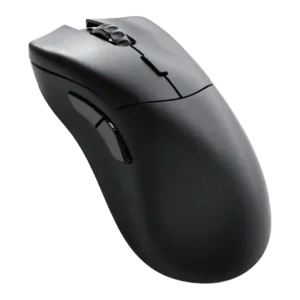
Profile switching was praised where discussed, especially for quickly changing profiles and swapping settings between PCs or games.
Pros: value for money, glide smoothness
Cons: battery life, polling rate

Profile switching was praised for making it easy to move between games or setups.
Pros: glide smoothness, scroll wheel quality
Cons: analog joystick usability, shape comfort

Profile switching has limited positive support from one review that praised software customization of settings and profiles.
Pros: left and right click quality, build quality
Cons: macro support, palm grip comfort

Profile switching was polarizing: some liked stored profiles and software-free switching, while others found the underside button odd or awkward.
Pros: value for money, battery life
Cons: weight, balance and weight distribution
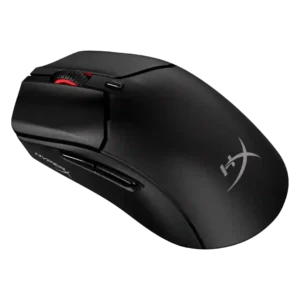
Profile switching was mixed: app-linked presets saved time, but the lack of multiple onboard profiles or a physical profile switch disappointed reviewers.
Pros: weight, value for money
Cons: side button quality, RGB features

Profile switching was mixed, with convenient profile toggling offset by complaints about the underside DPI/profile button placement.
Pros: value for money, weight
Cons: fingertip grip comfort, profile switching

Profile behavior was mixed: app-linked settings were useful, but onboard-profile handling was described as confusing in G Hub.
Pros: switch feel, polling rate
Cons: value for money, side button quality

Profile switching and DPI access were one of the main pain points because several reviewers disliked the underside DPI button, despite onboard profiles being easy once configured.
Pros: weight, grip texture
Cons: software usability, profile switching

Profile switching was a drawback because reviewers noted the single-profile limit or friction when changing scenarios.
Pros: value for money, shape comfort
Cons: onboard memory, side button quality

Profile switching is the clearest repeated weakness, driven by the missing hardware DPI/profile switch and dependence on software.
Pros: weight, battery life
Cons: value for money, profile switching