
DPI range evidence was positive, with reviewers treating the 30K ceiling and wider adjustment range as a precision benefit.
Pros: value for money, weight
Cons: fingertip grip comfort, profile switching

DPI range evidence was positive, with reviewers treating the 30K ceiling and wider adjustment range as a precision benefit.
Pros: value for money, weight
Cons: fingertip grip comfort, profile switching

The 36,000 DPI range was repeatedly praised as extremely high-end and more than enough for competitive sensitivity needs.
Pros: weight, grip texture
Cons: software usability, profile switching

The DPI system was praised mainly for easy, visible sensitivity switching rather than raw maximum DPI alone.
Pros: weight, shape comfort
Cons: battery life, side button quality

The 26,000 DPI ceiling is treated as more than enough for most users, with praise for sensitivity and fine adjustment.
Pros: tilt gesture controls, MMO gaming suitability
Cons: battery life, software usability

The DPI range was viewed as very broad and highly adjustable, though one review considered the top end overkill for most players.
Pros: glide smoothness, scroll wheel quality
Cons: analog joystick usability, shape comfort

DPI and sensitivity were considered sufficient for most users, with reviewers finding the 8500 DPI range smooth or workable in practice.
Pros: value for money, shape comfort
Cons: onboard memory, side button quality

The DPI range is viewed as generous and precise, though reviewers often pair that praise with frustration over hardware DPI switching.
Pros: weight, battery life
Cons: value for money, profile switching

DPI range is generally useful for sensitivity tuning and accuracy, but one reviewer warned very high DPI can feel jumpy in everyday use.
Pros: left and right click quality, build quality
Cons: macro support, palm grip comfort

The 30K DPI ceiling was considered powerful for FPS use, though one reviewer viewed extreme DPI as more buzzword than necessity.
Pros: value for money, grip texture
Cons: weight, charging convenience
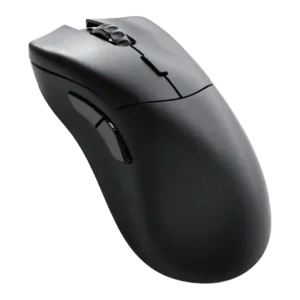
DPI evidence was mixed but generally useful: reviewers valued adjustment and 26,000 DPI headroom, while one found very high DPI practically unusable.
Pros: value for money, glide smoothness
Cons: battery life, polling rate
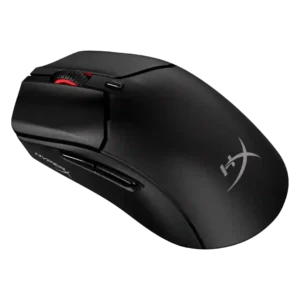
The DPI ceiling was viewed as generous and flexible, but some reviewers found very high settings too frantic or touchy for normal use.
Pros: weight, value for money
Cons: side button quality, RGB features

DPI coverage was seen as technically strong and granular, but one reviewer felt the extreme ceiling is more marketing than everyday value.
Pros: switch feel, polling rate
Cons: value for money, side button quality

DPI control was mixed: dedicated up/down controls were praised for fast switching, but some reviewers called 30,000 DPI overkill, wonky at extremes, or cheaply implemented on the top buttons.
Pros: value for money, battery life
Cons: weight, balance and weight distribution