
Left and right clicks were praised for satisfying tactility, light rapid tapping, and improved main-button feel.
Pros: switch feel, polling rate
Cons: value for money, side button quality

Left and right clicks were praised for satisfying tactility, light rapid tapping, and improved main-button feel.
Pros: switch feel, polling rate
Cons: value for money, side button quality

Left and right click quality is a clear strength, with multiple reviews calling the main clicks wonderful, snappy, responsive, and tactile.
Pros: tilt gesture controls, MMO gaming suitability
Cons: battery life, software usability

Left and right clicks were reviewed positively for their split-shell design, feel, and low travel.
Pros: weight, shape comfort
Cons: battery life, side button quality

Left and right clicks were often praised for crispness and solidity, though a few units or grip positions felt mushy or merely average.
Pros: value for money, grip texture
Cons: weight, charging convenience

Main click quality was generally positive for tactility, though one reviewer found the switches slightly stiff.
Pros: weight, grip texture
Cons: software usability, profile switching

Main click quality was generally positive for speed and confidence, but one reviewer preferred competing click implementations.
Pros: value for money, battery life
Cons: weight, balance and weight distribution

Main click quality was mixed: several reviewers liked the left and right clicks, while one found them floaty with too much movement.
Pros: value for money, weight
Cons: fingertip grip comfort, profile switching

Main click quality is the most divided core attribute: some reviewers loved the crisp clicks, while others found them heavy, mushy, or slow.
Pros: left and right click quality, build quality
Cons: macro support, palm grip comfort

Left and right click quality was mixed, ranging from firm and clean to hollow or weaker than expected.
Pros: value for money, shape comfort
Cons: onboard memory, side button quality
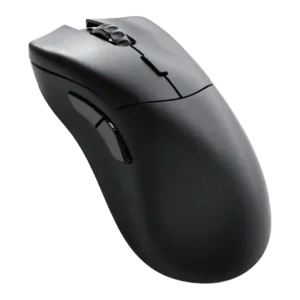
Primary click quality was mixed, ranging from impeccable optical buttons to complaints about less refined or less tactile clicks.
Pros: value for money, glide smoothness
Cons: battery life, polling rate
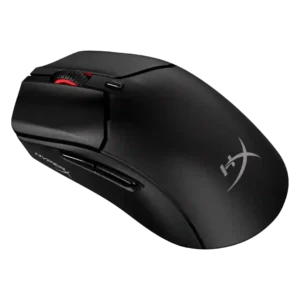
Main click quality was mixed, ranging from crisp and sharp to loose, firm, or lacking the extra button space some gamers wanted.
Pros: weight, value for money
Cons: side button quality, RGB features

Left and right click quality is mixed, ranging from spacious and crisp to accidental actuation, pre-travel, or mushy implementation.
Pros: weight, battery life
Cons: value for money, profile switching

Left and right clicks were divisive: some liked the tactile feel, while others reported accidental activation or heavier clicks.
Pros: glide smoothness, scroll wheel quality
Cons: analog joystick usability, shape comfort