
Click latency was strongly praised, with reviewers describing the wired optical-switch setup as very fast and responsive.
Pros: value for money, weight
Cons: fingertip grip comfort, profile switching

Click latency was strongly praised, with reviewers describing the wired optical-switch setup as very fast and responsive.
Pros: value for money, weight
Cons: fingertip grip comfort, profile switching

Click latency evidence is excellent, with reviewers repeatedly describing instant, unnoticeable, or near-wired response.
Pros: weight, battery life
Cons: value for money, profile switching
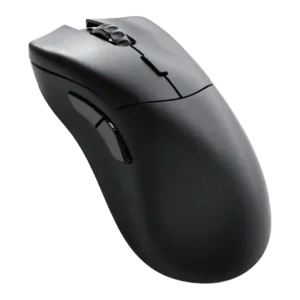
The direct click-latency evidence was very positive, with the optical switches described as triggering particularly quickly.
Pros: value for money, glide smoothness
Cons: battery life, polling rate

Click latency and immediate actuation were rated highly where reviewers mentioned minimal pre-travel, no travel delay, or fatigue-free resistance.
Pros: weight, grip texture
Cons: software usability, profile switching

Click latency evidence was positive, with reviewers emphasizing optical-switch responsiveness, zero debounce, and reduced delay.
Pros: value for money, shape comfort
Cons: onboard memory, side button quality

Click latency was viewed positively, with optical switches and wireless performance described as low-latency or delay-free in gaming use.
Pros: value for money, battery life
Cons: weight, balance and weight distribution

Direct click-response comments are positive, with reviewers describing the primary inputs as instant and right to the point.
Pros: tilt gesture controls, MMO gaming suitability
Cons: battery life, software usability

Click latency evidence ranges from merely adjustable to outstanding, with the strongest reviews calling it the best or very fast in practice.
Pros: left and right click quality, build quality
Cons: macro support, palm grip comfort

Click latency was praised as very low by some reviewers, though one technical reviewer found it merely good rather than flagship-leading.
Pros: switch feel, polling rate
Cons: value for money, side button quality

Click latency was not seen as a practical problem; the reviewer said the delay was not noticeable in use.
Pros: weight, shape comfort
Cons: battery life, side button quality

Click latency evidence was mixed: reviewers found the clicks usable and often fast, but some noticed slower actuation than optical-switch competitors.
Pros: value for money, grip texture
Cons: weight, charging convenience
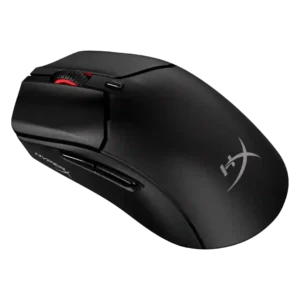
Click-latency evidence is mixed, with some reviewers feeling no delay and others calling latency merely standard or better avoided by using wired mode.
Pros: weight, value for money
Cons: side button quality, RGB features

Click response felt fast, but one reviewer found the light actuation too trigger-happy.
Pros: glide smoothness, scroll wheel quality
Cons: analog joystick usability, shape comfort