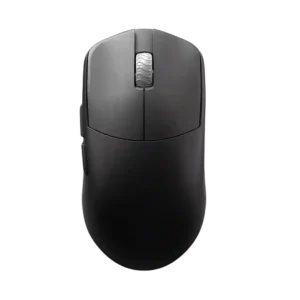
The DPI range receives positive evidence because it is considered more than enough even for very high-sensitivity players.
Pros: glide smoothness, build quality
Cons: side button quality, cable flexibility

The DPI range receives positive evidence because it is considered more than enough even for very high-sensitivity players.
Pros: glide smoothness, build quality
Cons: side button quality, cable flexibility

The DPI ceiling was treated as extremely high and impressive, with fine adjustment praised by reviewers who used G Hub.
Pros: weight, shape comfort
Cons: side button quality, value for money

The DPI range is treated as more than enough for high-resolution and fast gaming use, though one reviewer’s praise ties the range mainly to precision.
Pros: Accuracy and tracking precision, shape comfort
Cons: long-session comfort
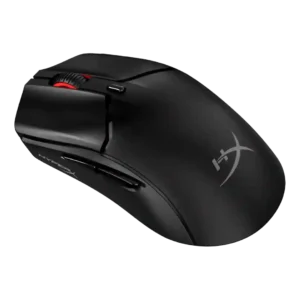
The 26,000 DPI ceiling was treated as more than enough and even described as fantastic.
Pros: side button quality, scroll wheel quality
Cons: weight, FPS gaming suitability

The 26K DPI range was treated as high-end and useful for users who want very high sensitivity, even if most reviewers did not need the maximum.
Pros: value for money, button customization
Cons: fingertip grip comfort, portability

DPI range was viewed positively because reviewers found the 26K ceiling and fine adjustment easy to tailor, even if extreme DPI was impractical for some.
Pros: battery life, software usability
Cons: weight, FPS gaming suitability

DPI range was treated as a strength where reviewers evaluated sensitivity, especially versus smaller or older rivals.
Pros: shape comfort, value for money
Cons: handedness options
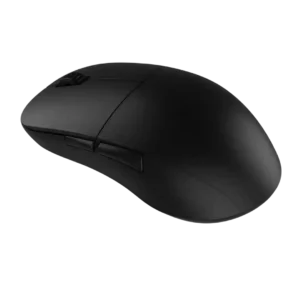
The DPI/CPI ceiling was considered more than enough for competitive shooter play.
Pros: value for money, glide smoothness
Cons: fingertip grip comfort, surface compatibility

The DPI range is treated as a strength because reviewers noted a wide sensitivity range and unusually high sensor ceiling.
Pros: battery life, handedness options
Cons: value for money, polling rate

The DPI range was viewed positively for high-end headroom, though one reviewer noted very high DPI can be unusable for typical personal settings.
Pros: value for money, ergonomic design
Cons: RGB features, portability

DPI range was viewed as useful for presets and micro-adjustments, especially by reviewers who valued sensitivity control for gaming and desktop precision.
Pros: value for money, weight
Cons: premium feel, polling rate

The DPI range was seen as broad and flexible, though one reviewer found the very high settings excessive for normal use.
Pros: weight, battery life
Cons: polling rate, RGB features
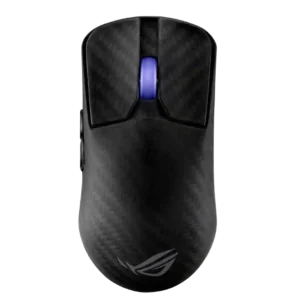
DPI/CPI range was technically extreme and often praised, though some reviewers viewed the 42,000 DPI figure as excessive marketing.
Pros: sensor performance, build quality
Cons: value for money, battery life

The DPI ceiling was seen as technically impressive, but one reviewer found very high DPI practically unusable.
Pros: value for money, sensor performance
Cons: software usability, grip texture

The 26K DPI ceiling was considered enough for nearly all gamers, even though some reviewers noted it is lower than flagship sensors or impractical at the top end.
Pros: value for money, weight
Cons: Bluetooth support, cable flexibility

The DPI ceiling was considered strong for most players, though one reviewer noted it is not the highest available.
Pros: battery life, glide smoothness
Cons: side button quality, value for money

Reviewers treated the 35K DPI ceiling and single-step adjustment as technically impressive, though often more than most players need.
Pros: build quality, software usability
Cons: value for money, polling rate

DPI/CPI coverage was useful for preset users, but reviewers criticized the lack of granular software tuning for non-preset sensitivities.
Pros: build quality, shape comfort
Cons: value for money, charging convenience

The 35K DPI ceiling was viewed as technically impressive but often overkill or not worth paying extra for.
Pros: scroll wheel quality, battery life
Cons: value for money, weight

DPI range was mixed: one reviewer found enough presets to settle in, while another criticized the lack of fine granularity.
Pros: build quality, weight
Cons: value for money, charging convenience