
The extreme DPI ceiling was valued by reviewers who cared about surgical tuning and peak sensor headroom.
Pros: battery life, scroll wheel quality
Cons: value for money, click noise

The extreme DPI ceiling was valued by reviewers who cared about surgical tuning and peak sensor headroom.
Pros: battery life, scroll wheel quality
Cons: value for money, click noise

The high DPI range was treated as fast and capable, with reviewers tying it to broad sensitivity coverage rather than everyday necessity.
Pros: battery life, weight
Cons: click noise, left and right click quality

Reviewers praised the high DPI ceiling and sensitivity, saying it made movement easier across screens and placed the mouse among very sensitive options.
Pros: button responsiveness, shape comfort

DPI control was viewed positively because reviewers could make fine adjustments and quick in-game changes.
Pros: charging convenience, software usability
Cons: RGB features, value for money

DPI range was seen as technically strong and highly configurable, though reviewers often framed the 33K ceiling as more than most users need.
Pros: button customization, MMO gaming suitability
Cons: FPS gaming suitability
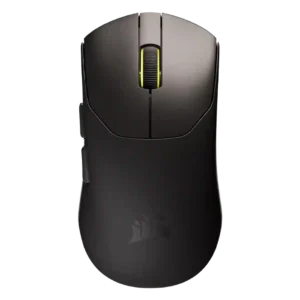
The DPI range was praised as impressive and more than enough for most gamers, though broader DPI convenience concerns were covered under profile switching.
Pros: build quality, weight
Cons: software usability, battery life

DPI range was viewed as sufficient for most gamers and competitive enough for premium use, despite one review noting rivals can reach higher DPI.
Pros: weight, value for money
Cons: click noise, AI Prompt Master
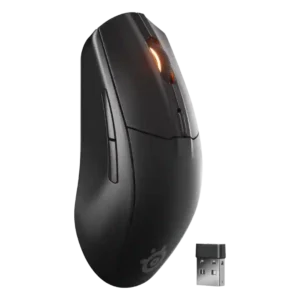
The 18,000 DPI range was considered more than enough for most users, with several reviewers noting that very high DPI numbers matter less outside pro-level play.
Pros: battery life, value for money
Cons: weight, RGB features

DPI handling was generally strong, with instant drift-free shifts, though one reviewer disliked the lack of a default DPI switcher.
Pros: ergonomic design, scroll wheel quality
Cons: AI Prompt Master, click noise

DPI range drew qualified praise: reviewers said 26,000 DPI is more than enough, though one found it overkill in practice.
Pros: weight, battery life
Cons: value for money
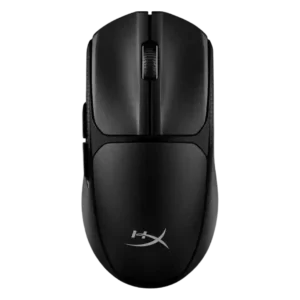
The 12,000 DPI ceiling was generally considered ample, though one reviewer felt the top end was too sensitive for most users.
Pros: switch feel, weight
Cons: RGB features, handedness options
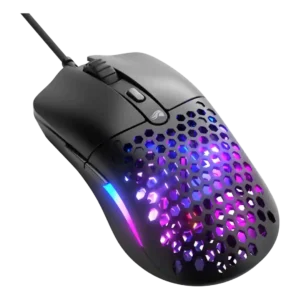
The DPI range was generally seen as enough for most budget buyers, though reviewers noted it trails the extreme numbers of high-end mice.
Pros: value for money, weight
Cons: cable flexibility

The 42,000 DPI ceiling was seen as impressive but partly overkill, with reviewers noting most players will never use such a high range.
Pros: glide smoothness, weight
Cons: handedness options
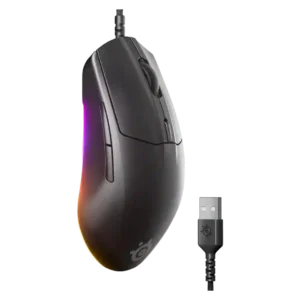
The 8,500 DPI ceiling was usually considered enough for gaming, though one reviewer warned the lower peak sensitivity could matter to some users.
Pros: cable flexibility, value for money
Cons: premium feel

DPI capability was considered adequate to normal for modern gaming mice rather than a major differentiator.
Pros: charging convenience, shape comfort
Cons: value for money, weight