
The metal knob is a standout convenience, offering smooth adjustment, tactile steps and a press-to-mute function.
Pros: overall satisfaction, build quality
Cons: portability, reliability

The metal knob is a standout convenience, offering smooth adjustment, tactile steps and a press-to-mute function.
Pros: overall satisfaction, build quality
Cons: portability, reliability

Volume control was highly praised, with reviewers specifically calling the volume knob fantastic or amazing.
Pros: build quality, keycap quality
Cons: switch options, portability

Volume control was usually praised for tactile grip, quality metal feel, or convenient dial operation.
Pros: customization options, typing feel
Cons: value for money, wrist rest quality
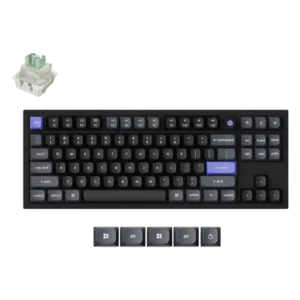
The volume knob drew an enthusiastic positive reaction from the reviewer.

Volume control was positive because the knob could handle volume and be remapped to other functions.
Pros: value for money, build quality
Cons: switch options, hot-swappable switches

The volume lever/flipper was generally liked for tactile feel and practical usefulness.
Pros: design aesthetics, build quality

Volume control is praised for being accessible, satisfying, and easy to use through the knob/dial.
Pros: noise level, RGB lighting quality
Cons: rapid trigger support, extra gaming features

Volume control was useful for most reviewers, though the toggle implementation was less satisfying to some than a dedicated knob or roller.
Pros: typing feel, design aesthetics
Cons: value for money, materials quality

Volume control was mixed, with praise for feel and grip offset by criticism that the roller was imprecise or awkward.
Pros: sound dampening, switch feel
Cons: reliability, rapid trigger support

Volume control opinions split: Macworld liked one-hand Fn access, while a comparison reviewer disliked the volume placement.
Pros: portability, build quality
Cons: value for money, ergonomics

Volume control was the most mixed feature: reviewers liked the knob’s usefulness and click feel, but repeatedly criticized wobble, looseness, and gimmicky behavior.
Pros: battery life, portability
Cons: volume control, switch options

Volume controls are available through Fn shortcuts rather than dedicated keys. Their placement is easy to forget until muscle memory develops.
Pros: switch feel, typing feel
Cons: value for money, layout options

Volume control was a drawback for one reviewer who expected to miss the hardware volume control from another keyboard.
Pros: typing feel, design aesthetics

Volume control was a small weakness because one reviewer wanted a knob or spinner instead of function-key volume control.
Pros: customization options, design aesthetics
Cons: switch options, key spacing

Volume control was repeatedly criticized because reviewers missed a dedicated dial or roller and disliked relying on secondary key functions.
Pros: build quality, gaming performance
Cons: typing feel, typing comfort

Volume control was a weakness because reviewers wanted a rotary knob or volume dial that the Elite model lacks.
Pros: software quality, build quality
Cons: value for money, connectivity

A dedicated volume roller is absent. Anyone who wants quick hardware volume adjustment will need to remap a shortcut or use another device.
Pros: overall satisfaction, customization options
Cons: value for money, switch options