
RGB customization was praised for seemingly endless options through Chroma and Synapse.
Pros: customization options, typing feel
Cons: value for money, wrist rest quality

RGB customization was praised for seemingly endless options through Chroma and Synapse.
Pros: customization options, typing feel
Cons: value for money, wrist rest quality

VIA offers adjustable colors, patterns and brightness, with enough control for either subtle static lighting or brighter effects.
Pros: overall satisfaction, build quality
Cons: portability, reliability

Lighting can be changed extensively through Wootility, including presets, effects, colors, and per-key control. Most reviewers love the flexibility, although one found effect layering more limited than rival software.
Pros: overall satisfaction, customization options
Cons: value for money, switch options

RGB customization was praised for adjustable brightness, effects, speed, and color selection.
Pros: build quality, keycap quality
Cons: switch options, portability

RGB customization was widely praised for deep software control, per-key effects, layers, presets, and web or app configuration.
Pros: sound dampening, switch feel
Cons: reliability, rapid trigger support

RGB customization had limited but positive support, with one reviewer highlighting bold color behavior and preset variety.
Pros: typing feel, design aesthetics
Cons: value for money, materials quality

RGB customization was viewed favorably through dual-system personalization, many effects, and customizable modes.
Pros: design aesthetics, build quality

RGB customization was positively covered through software-based control of backlighting and effects.
Pros: battery life, portability
Cons: volume control, switch options

RGB customization was consistently treated as a strength, with reviewers praising effects, brightness controls, modes and easy software control.
Pros: RGB customization, keycap quality
Cons: frame rigidity, switch options

RGB customization is broadly praised for layers, colors, Dynamic Lighting support, and broad software control, with some preset-selection complaints.
Pros: noise level, RGB lighting quality
Cons: rapid trigger support, extra gaming features

RGB customization was positively received for many options and a broad color selector, though rainbow-style effects were too much for one reviewer.
Pros: typing feel, design aesthetics

RGB customization was generally praised through G Hub, though one reviewer disliked needing software for even small lighting tweaks.
Pros: build quality, gaming performance
Cons: typing feel, typing comfort

RGB customization was useful but not perfect: reviewers liked RGB controls and effects, while one noted whole-board color control instead of per-key control.
Pros: customization options, design aesthetics
Cons: switch options, key spacing
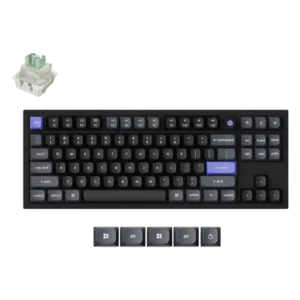
RGB customization was viewed positively through lighting-control options and preferred effects.

RGB customization was praised for breadth, per-key control, animations, and CAM options, but some disliked software-only control or finicky behavior.
Pros: software quality, build quality
Cons: value for money, connectivity

RGB customization was considered useful through Synapse and onboard controls, though it remained constrained by single-zone behavior.
Pros: portability, build quality
Cons: value for money, ergonomics

RGB customization was limited compared with some gaming keyboards, despite useful presets and brighter shine-through lighting.
Pros: value for money, build quality
Cons: switch options, hot-swappable switches