
RGB customization was a strength, with reviewers praising iCUE presets, effects, and the breadth of lighting options.
Pros: sound dampening, value for money
Cons: ergonomics, polling rate

RGB customization was a strength, with reviewers praising iCUE presets, effects, and the breadth of lighting options.
Pros: sound dampening, value for money
Cons: ergonomics, polling rate

RGB customization was a major positive, with reviewers highlighting deep iCUE control, effects, per-zone options, and ecosystem integration.
Pros: value for money, typing feel
Cons: wrist rest quality, media controls

RGB customization was praised for per-key control, presets, custom effects, and broad adjustment options.
Pros: switch feel, typing feel
Cons: software quality, volume control

RGB customization was consistently strong, with reviewers praising layered effects, per-key color control, and broad iCUE lighting options.
Pros: customization options, gaming performance
Cons: value for money, noise level

RGB customization was a consistent Razer strength, with reviewers praising complex-to-simple controls, Chroma syncing, and game-reactive lighting.
Pros: value for money, wrist rest quality
Cons: software quality, ergonomics
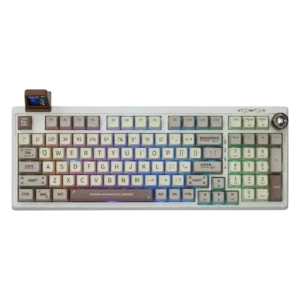
RGB customization is considered useful and reasonably flexible through the driver, with both per-key control and effect customization mentioned positively.
Pros: value for money, typing feel
Cons: software quality, reliability

RGB customization is viewed positively, with reviewers noting per-key control, effects, color customization, and software-based sync options.
Pros: switch feel, typing feel
Cons: software quality, key spacing