Best for G-SYNC compatibility
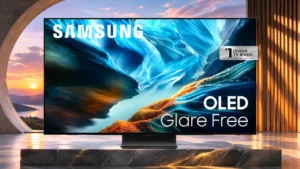
Samsung S90H
5.0 attribute score
Highest scored product for this attribute based on supporting review evidence.

Highest scored product for this attribute based on supporting review evidence.
Balances the attribute score, supporting reviews, and overall product strength.
Has the broadest review evidence for this attribute.
Strongest overall product among items with scored evidence for this attribute.

Overall: 4.5/5
Official G-SYNC compatibility broadens the S90H’s appeal to Nvidia PC gamers and complements its 165Hz panel.
Pros: glare resistance, black levels
Cons: Dolby Vision support, color gamut
Overall: 4.1/5
Compatible PC hardware can benefit from smooth variable-refresh output over a broad range.
Pros: black levels, contrast ratio
Cons: Dolby Vision support, stutter handling

Overall: 3.1/5
G-SYNC Compatible support keeps PC gameplay nearly tear-free when paired with a suitable graphics card.
Pros: gaming performance, color accuracy
Cons: value for money, overall satisfaction

Overall: 3.8/5
Supported larger sizes work with compatible PC variable-refresh setups, reducing tearing; this support should not be assumed for the 50-inch version.
Pros: picture quality, contrast ratio
Cons: blooming control, glare resistance

Overall: 3.8/5
Certified G-SYNC support expands the TV's compatibility with gaming PCs and minimizes tearing during frame-rate changes.
Pros: overall satisfaction, color gamut
Cons: value for money, local dimming performance

Overall: 4.2/5
G-SYNC compatibility improves motion consistency with supported Nvidia graphics sources.
Pros: picture quality, overall satisfaction
Cons: design and appearance, Dolby Vision support

Overall: 3.5/5
G-SYNC Compatible support helps compatible PC games avoid visible tearing, even when frame rates vary.
Pros: art display mode, design and appearance
Cons: overall satisfaction, HDMI port accessibility

Overall: 3.8/5
Broad variable refresh support covers the principal PC synchronization formats.
Pros: Wireless One Connect compatibility, art display mode
Cons: value for money, input lag

Overall: 3.8/5
G-SYNC Compatible mode works well with supported sources and handles frame-rate changes smoothly.
Pros: cable management, design and appearance
Cons: value for money, Dolby Vision support

Overall: 4.0/5
G-SYNC compatibility is effective with supported sources.
Pros: black levels, picture quality
Cons: glare resistance, reflection handling

Overall: 3.8/5
Adaptive-sync support extends beyond consoles and makes the QN80F a capable display for compatible gaming PCs.
Pros: overall satisfaction, picture quality
Cons: value for money, local dimming performance

Overall: 3.9/5
G-SYNC support helps PCs avoid screen tearing and maintain smooth motion when frame rates vary.
Pros: value for money, overall satisfaction
Cons: Dolby Vision support, sound quality

Overall: 4.0/5
Variable-refresh compatibility with modern PCs is helpful, although some users may need to enable the setting manually.
Pros: reflection handling, overall satisfaction
Cons: Dolby Vision support, bass performance

Overall: 4.2/5
Adaptive-sync support gives PC gamers flexible tear-reduction options across a wide range of frame rates.
Pros: picture quality, glare resistance
Cons: value for money, bass performance

Overall: 3.3/5
G-SYNC-compatible VRR behavior is limited by the TV's narrow refresh range, so it is less helpful than on a proper gaming display.
Pros: color accuracy, upscaling quality
Cons: picture quality, sound quality