Best for 2.4GHz connectivity
Logitech MX Master 3S
5.0 feature score
Highest scored product for this feature based on supporting review evidence.

Highest scored product for this feature based on supporting review evidence.
Balances feature score, supporting reviews, and overall product strength.
Has the broadest review evidence for this feature.
Strongest overall product among items with scored evidence for this feature.
Showing Logitech only. Switch back to all brands anytime.
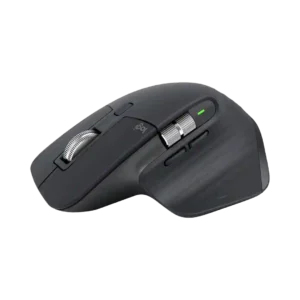
Logi Bolt is praised for providing a stable, low-latency connection and is often preferred over Bluetooth when reliability matters most.
Pros: motion consistency, left and right click quality
Cons: switch durability, onboard memory

The 2.4GHz connection was praised through an instant, fast connection experience with the included dongle.
Pros: macro support, fingertip grip comfort
Cons: weight tuning, cable flexibility

2.4GHz connectivity was rated highly where discussed, with reviewers describing the Lightspeed connection as solid, fast, and wired-like.
Pros: click latency, motion consistency
Cons: software stability, cross-platform compatibility

2.4GHz connectivity was praised for stable, speedy Lightspeed/2.4GHz operation and high polling without a bulky receiver.
Pros: motion consistency, acceleration control
Cons: cable flexibility, cross-platform compatibility

Reviewers praised LIGHTSPEED/2.4GHz as fast, snappy, and seamless, with several recommending the dongle for gaming over Bluetooth.
Pros: 2.4GHz connectivity, connection stability
Cons: cable flexibility, handedness options
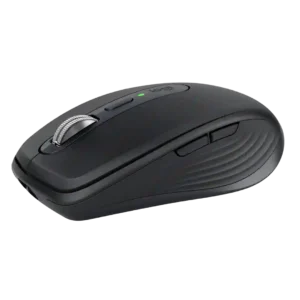
Logi Bolt gives a stable, lower-latency alternative to Bluetooth and can share a receiver with compatible Logitech gear. The main drawback is that the receiver is often sold separately.
Pros: motion consistency, programmable buttons
Cons: palm grip comfort, hand support

The 2.4GHz dongle connection is described as fast and stable, with no lag or drop-outs in the cited review.
Pros: left and right click quality, dock compatibility
Cons: Bluetooth support, cross-platform compatibility

Reviewers found the 2.4GHz Lightspeed dongle dependable over normal use distances, with strong gaming performance despite one note about the crowded band.
Pros: motion consistency, wireless latency
Cons: Bluetooth support, acceleration control

2.4GHz connectivity was useful for low-latency performance, though one reviewer disliked needing separate Lightspeed receivers.
Pros: click latency, onboard memory
Cons: lift-off distance, debounce customization
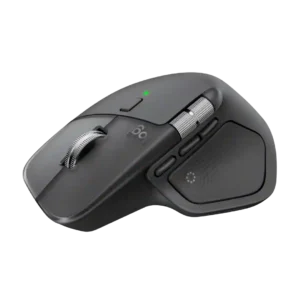
Opinions on 2.4GHz connectivity are mixed and depend heavily on workflow, preferences, or how deeply the mouse is customized.
Pros: software usability, software stability
Cons: double-click reliability, warranty

2.4GHz connectivity was mixed: setup through the dongle was easy, but one review disliked the rattly dongle storage.
Pros: Accuracy and tracking precision, motion consistency
Cons: handedness options, lift-off distance

The standard package draws criticism for leaving out a 2.4GHz receiver, so buyers who want dongle-based wireless may need an extra purchase.
Pros: Accuracy and tracking precision, materials quality
Cons: onboard memory, tilt wheel support