
The main left and right clicks were well received for uniform feel, snappy action, and excellent responsiveness.
Pros: value for money, button customization
Cons: fingertip grip comfort, portability

The main left and right clicks were well received for uniform feel, snappy action, and excellent responsiveness.
Pros: value for money, button customization
Cons: fingertip grip comfort, portability

Left and right clicks were strongly praised for feeling perfect, balanced, fast, and responsive.
Pros: battery life, software usability
Cons: weight, FPS gaming suitability

Left and right click quality was strongly praised for tactile, satisfying, crisp, or solid main clicks, with only minor preference-based caveats.
Pros: value for money, weight
Cons: Bluetooth support, cable flexibility
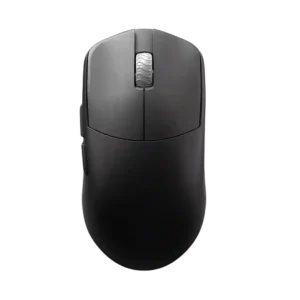
Left and right click quality is strongly praised for clean implementation, bounce, lightness, and a close-to-perfect feel.
Pros: glide smoothness, build quality
Cons: side button quality, cable flexibility

Left and right click quality is a clear strength, with reviewers praising softness, precision, tactile response, and nice PBT click feel.
Pros: Accuracy and tracking precision, shape comfort
Cons: long-session comfort

Primary clicks were praised for speed, low travel, tactility, and reduced misclick risk, with several reviewers preferring their feel to rivals.
Pros: build quality, software usability
Cons: value for money, polling rate

Main click quality was usually strong, with repeated praise for tactile, crisp, snappy clicks, though a few reviewers wanted a sharper or more premium feel.
Pros: weight, shape comfort
Cons: side button quality, value for money

Main click quality was generally strong, with praise for tactile feedback, satisfying actuation, and minimal travel, though one review sample had uneven pre-travel.
Pros: weight, battery life
Cons: polling rate, RGB features

Main click quality was generally strong: reviewers liked the front buttons' responsiveness, satisfying feel, and snappy actuation.
Pros: value for money, weight
Cons: premium feel, polling rate

Left and right clicks were generally praised for crisp, consistent actuation, though one reviewer noticed slight pre-travel that did not interfere.
Pros: value for money, ergonomic design
Cons: RGB features, portability

Left and right click quality had limited but positive evidence from a reviewer who liked the click implementation.
Pros: shape comfort, value for money
Cons: handedness options
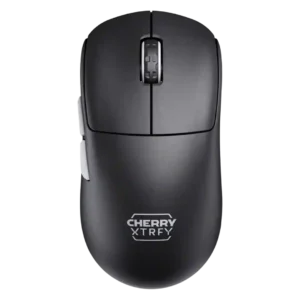
Left and right clicks were generally solid, easy, and satisfying, though one reviewer noted the M68 felt a little stiffer than the M64.
Pros: build quality, shape comfort
Cons: value for money, charging convenience

Left and right click quality was mostly positive, with praise for consistency and similar actuation between sides.
Pros: value for money, sensor performance
Cons: software usability, grip texture
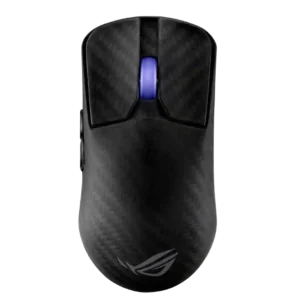
Main click quality ranged from exceptional praise to isolated complaints about pre-travel, post-travel, or a defective left click.
Pros: sensor performance, build quality
Cons: value for money, battery life

Main click quality was mostly praised for tactile feedback and responsiveness, though one reviewer found the feel cheap or off.
Pros: battery life, glide smoothness
Cons: side button quality, value for money

Main click quality was mostly good but mixed by one reviewer who found the clicks somewhat squishy or easy to mispress.
Pros: scroll wheel quality, battery life
Cons: value for money, weight
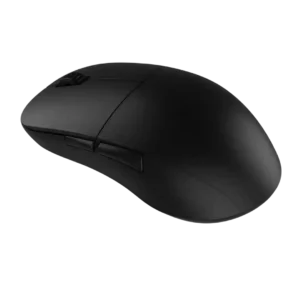
Main-click quality was mixed: reviewers liked the snappy optical feel and low pre-travel, but several found the buttons heavy, stiff, uneven, or easy to trigger accidentally.
Pros: value for money, glide smoothness
Cons: fingertip grip comfort, surface compatibility
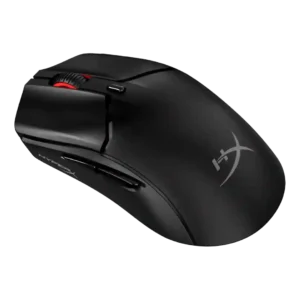
Left and right click quality was highly praised by some reviewers but criticized by others for heavy feel, wobble, and grind.
Pros: side button quality, scroll wheel quality
Cons: weight, FPS gaming suitability
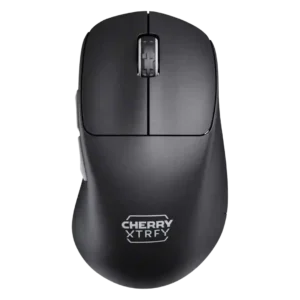
Left and right click quality was mixed because reviewers noted wobble or a stiff right button despite otherwise usable performance.
Pros: build quality, weight
Cons: value for money, charging convenience
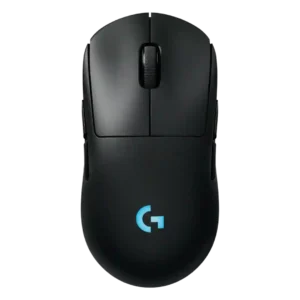
Main click quality is mixed because one reviewer liked the heavy tactile feel but criticized right-click ping.
Pros: battery life, handedness options
Cons: value for money, polling rate