
VIA supports recording and assigning macros, giving the compact layout useful programmable depth.
Pros: overall satisfaction, build quality
Cons: portability, reliability

VIA supports recording and assigning macros, giving the compact layout useful programmable depth.
Pros: overall satisfaction, build quality
Cons: portability, reliability

Macro customization was praised as deep and useful, including four-level functions, robust mapping, and complex macro possibilities.
Pros: customization options, design aesthetics
Cons: switch options, key spacing

Macro customization was praised across written and video reviews for complex macros, programmable functions, and one-key workflows.
Pros: build quality, keycap quality
Cons: switch options, portability

Macro support is flexible through Wootomation and related software tools, letting users assign macros without dedicated macro keys. The software approach is seen as straightforward and useful for productivity.
Pros: overall satisfaction, customization options
Cons: value for money, switch options

Macro customization was positive where discussed, with reviewers noting easy macro creation and broad remapping support.
Pros: typing feel, design aesthetics
Cons: value for money, materials quality

Macro customization received positive attention because firmware macros were available and could be assigned through the launcher.
Pros: value for money, build quality
Cons: switch options, hot-swappable switches

Macro customization was broadly praised for display keys, programmable functions, and Windows macro features, though some reviewers found the scope less advanced or less useful than expected.
Pros: sound dampening, switch feel
Cons: reliability, rapid trigger support

Macro and remapping support was praised as powerful, flexible, and useful through G Hub.
Pros: build quality, gaming performance
Cons: typing feel, typing comfort
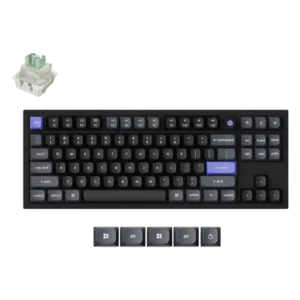
Macro support was viewed positively for reducing complex commands to one keypress and helping with gaming.

Macro customization is a clear strength, with reviewers praising remapping, recording macros, programmable M keys, and FN-layer possibilities.
Pros: noise level, RGB lighting quality
Cons: rapid trigger support, extra gaming features

Macro customization was supported by evidence around easy macro setup, recording and mouse-click detection.
Pros: RGB customization, keycap quality
Cons: frame rigidity, switch options

Macro customization was considered solid through remapping and CAM macro support, though some reviewers still wanted dedicated macro keys.
Pros: software quality, build quality
Cons: value for money, connectivity

Macro customization was useful where Synapse and onboard tools allowed it, but reviewers criticized the lack of on-the-fly macro recording and limited remap space.
Pros: portability, build quality
Cons: value for money, ergonomics

Macro customization was mixed, with one reviewer wanting better macro tools and another praising multi-input key behavior.
Pros: typing feel, design aesthetics

Macro customization was only lightly supported, with one reviewer noting that three custom macro buttons is not a huge number.
Pros: customization options, typing feel
Cons: value for money, wrist rest quality

Macro support is notably limited. The configuration software lacks a macro editor and other advanced controls found on more gaming- or enthusiast-focused keyboards.
Pros: switch feel, typing feel
Cons: value for money, layout options