
Choose the ROG Harpe II Ace for ultralight FPS play, precise tracking, smooth glide, and web-based tuning. Skip it if you need palm-grip support, MMO buttons, onboard profiles, or long...
Pros: glide smoothness, weight
Cons: handedness options

Choose the ROG Harpe II Ace for ultralight FPS play, precise tracking, smooth glide, and web-based tuning. Skip it if you need palm-grip support, MMO buttons, onboard profiles, or long...
Pros: glide smoothness, weight
Cons: handedness options

The 27-inch 4K OLED picture is exceptionally crisp and responsive, with useful USB-C and KVM extras. Its high price, oversized stand, and bright-room compromises limit its appeal.
Pros: sharpness, overall satisfaction
Cons: value for money, VRR flicker

The glossy Tandem OLED panel delivers vivid, high-contrast HDR and exceptionally smooth 280Hz gaming at a competitive OLED price. The tradeoffs are mirror-like reflections, occasional VRR flicker and no USB-C...
Pros: overall satisfaction, response time
Cons: reflection handling, VRR flicker
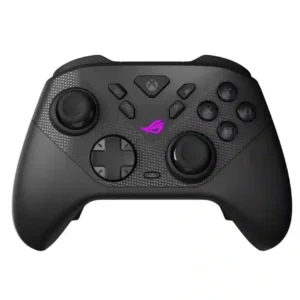
Best for precise TMR sticks, fast trigger stops, low-latency 2.4GHz play, and deep tuning. Skip it if you want a cheaper all-rounder, softer buttons for long sessions, or painless console-only...
Pros: overall satisfaction, button quality
Cons: d-pad accuracy, charging dock support
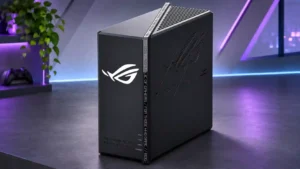
Seven 2.5GbE LAN ports, fast Wi-Fi 7 and excellent configurability make this a versatile gaming and home-network hub. The missing 10GbE port, uneven long-range 2.4GHz performance and regional AFC restrictions...
Pros: Wi-Fi speed, Ethernet port count
Cons: 10 GbE support, WAN port speed

Exceptionally clear 540Hz motion and vibrant Tandem OLED HDR make this a compelling esports display. The premium cost, mirror-like reflections, and blurry 720p boost mode are its clearest compromises.
Pros: black levels, motion clarity
Cons: value for money, Dual-mode versatility

Glossy 4K/240Hz OLED visuals and exceptionally fast motion make this a standout for mixed-genre gamers. The 480Hz mode noticeably softens detail, while reflections and 15W USB-C charging limit versatility.
Pros: overall satisfaction, black levels
Cons: reflection handling, Color brightness
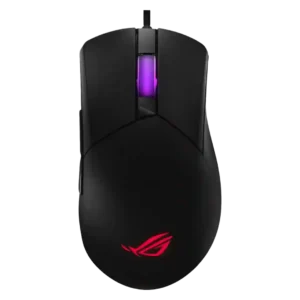
Best for hot-swappable switches, strong customization, smooth glide, and good value. Skip it if you need an ultralight shape, wireless-first freedom, or a low-profile mouse for wider or shape-sensitive hands.
Pros: button responsiveness, shape comfort

Exceptional 5K sharpness and a genuinely useful 1440p/330Hz mode make this a compelling work-and-play monitor. Weak edge-lit HDR and demanding GPU requirements are the major tradeoffs.
Pros: Pixel density, Resolution
Cons: GPU demands, HDR performance
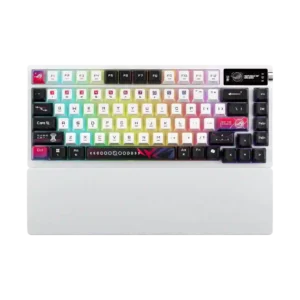
Best for premium mechanical typing, bold RGB styling, long battery life, and strong wireless convenience. Skip it if price, Hall effect features, or lighter software matters most.
Pros: typing feel, design aesthetics
Cons: value for money, materials quality

The PA32QCV brings exceptionally roomy, Mac-friendly 6K detail and capable color tools at a comparatively accessible price. Its matte coating, inconsistent panel uniformity and weak HDR are the clearest compromises.
Pros: value for money, Resolution
Cons: HDR performance, refresh rate
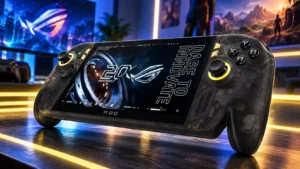
The vivid OLED screen and superb grip comfort make this a compelling premium Windows handheld. Its high price buys refinement rather than a major performance leap, and Windows still needs...
Pros: display quality, controller ergonomics
Cons: value for money, ease of use
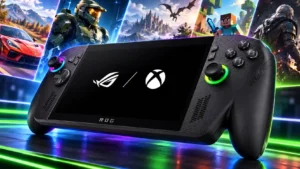
Excellent controller-style grips and strong PC-game performance make the Ally X a compelling portable companion. Its high price and uneven Windows experience are the main reasons to hesitate, especially if...
Pros: performance, frame rate performance
Cons: ease of use, user interface