
Overall: 4.1/5
This is one of its strongest roles: 6K clarity and 32-inch workspace make documents, multiple windows and daily creative tasks easy to arrange together.
Pros: value for money, Resolution
Cons: HDR performance, refresh rate

Overall: 4.1/5
This is one of its strongest roles: 6K clarity and 32-inch workspace make documents, multiple windows and daily creative tasks easy to arrange together.
Pros: value for money, Resolution
Cons: HDR performance, refresh rate

Overall: 4.1/5
Exceptionally crisp fonts, smooth scrolling and fine image detail make everyday documents and general desktop work a major strength.
Pros: Pixel density, Resolution
Cons: GPU demands, HDR performance
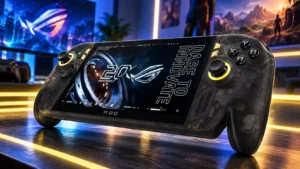
Overall: 4.0/5
With an external display, keyboard and mouse, the Windows hardware can handle browsing, general work and some design tasks. It is a useful secondary role, though small-screen interaction makes it...
Pros: display quality, controller ergonomics
Cons: value for money, ease of use

Overall: 4.2/5
High-density text and Uniform Brightness make office tasks comfortable, but glare, 15W USB-C charging and static-content burn-in risk deserve thought.
Pros: overall satisfaction, black levels
Cons: reflection handling, Color brightness
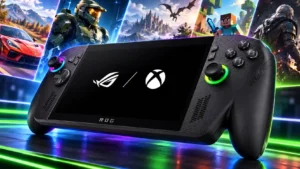
Overall: 3.7/5
With a monitor, keyboard and mouse, the handheld can handle real daily writing, browsing and light creative tasks. Some owners use it as their main PC, while others find the...
Pros: performance, frame rate performance
Cons: ease of use, user interface

Overall: 4.4/5
Sharp text, USB-C, and consistent-brightness settings make mixed office work pleasant. All-day static documents and interface elements are less ideal because of OLED wear concerns.
Pros: sharpness, overall satisfaction
Cons: value for money, VRR flicker