Best for Desktop productivity
Samsung Odyssey OLED G91SD S49DG910S
5.0 attribute score
Highest scored product for this attribute based on supporting review evidence.

Highest scored product for this attribute based on supporting review evidence.
Balances the attribute score, supporting reviews, and overall product strength.
Has the broadest review evidence for this attribute.
Strongest overall product among items with scored evidence for this attribute.

Overall: 3.7/5
Side-by-side documents, spreadsheets and app windows benefit from the equivalent of two QHD screens without a central bezel.
Pros: value for money, black levels
Cons: refresh rate, portability and weight
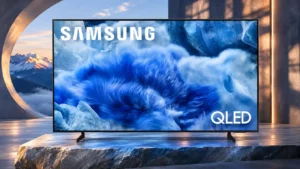
Overall: 3.3/5
The adjustable stand and generally readable display make basic computer work feasible. Text-rendering limitations and screen size positioning keep it conditional.
Pros: overall satisfaction, picture quality
Cons: reliability, remote control quality

Overall: 3.6/5
Crisp QHD text, plenty of window space and flexible positioning make office tasks comfortable despite the gaming focus.
Pros: stand adjustability, competitive gaming suitability
Cons: value for money, port selection

Overall: 3.5/5
Six-kilopixel text, smooth 165Hz desktop motion, and abundant detail make this a serious office screen, although edge dimming distracted one demanding full-screen white-background user.
Pros: Resolution, sharpness
Cons: value for money, HDR performance

Overall: 3.1/5
The roomy, crisp 4K desktop is well suited to office work and spreadsheets; startup overlays and inconsistent PC signal behavior spoil it for some users.
Pros: PC gaming compatibility, overall picture quality
Cons: overall satisfaction, Smart TV platform

Overall: 3.8/5
Graphics mode can work for everyday PC tasks, but its BGR layout introduces a possible text-sharpness compromise.
Pros: picture quality, 4K at 144 Hz support
Cons: sound quality, value for money

Overall: 3.3/5
PC use benefits from readable text and low input lag, though slight text softness and subpixel quirks can be limiting.
Pros: color accuracy, upscaling quality
Cons: picture quality, sound quality

Overall: 3.1/5
The RGB pixel layout makes letters clean and readable when the M80H is used as a large PC display.
Pros: gaming performance, color accuracy
Cons: value for money, overall satisfaction

Overall: 4.2/5
High pixel density makes text and windows sharp, but matte haze, OLED subpixels and static-image upkeep can complicate heavy daily office use. It is more compelling as a gaming-first mixed-use...
Pros: reflection handling, color gamut
Cons: value for money, brightness
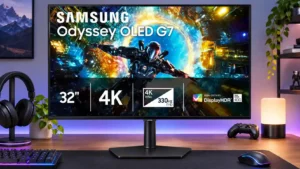
Overall: 3.8/5
Opinions diverge sharply: some find the high-resolution flat panel great for coding and everyday tasks, while one user struggles with tiny text and Windows scaling.
Pros: overall satisfaction, contrast
Cons: value for money, port selection