Best for Image scaling
Samsung Odyssey OLED G81SF S27FG810S
5.0 attribute score
Highest scored product for this attribute based on supporting review evidence.

Highest scored product for this attribute based on supporting review evidence.
Balances the attribute score, supporting reviews, and overall product strength.
Has the broadest review evidence for this attribute.
Strongest overall product among items with scored evidence for this attribute.

Overall: 4.2/5
Lower-than-4K material generally scales cleanly and can be sharpened to taste. Pre-480p sources are a notable exception.
Pros: reflection handling, color gamut
Cons: value for money, brightness

Overall: 3.0/5
The zoom and position controls can expand older low-resolution or non-widescreen clips to fill the display.
Pros: picture quality, smart TV platform
Cons: value for money, refresh rate

Overall: 4.2/5
The picture processor makes an effective bridge between common 4K material and the screen's much higher pixel count. Fine detail generally stays natural rather than exaggerated.
Pros: high-refresh-rate gaming, gaming performance
Cons: value for money, bass performance

Overall: 4.1/5
Older and lower-quality sources are enlarged smoothly to 4K, with little jagged edging or loss of fine texture.
Pros: black levels, contrast ratio
Cons: Dolby Vision support, stutter handling

Overall: 4.1/5
AI upscaling clearly improves 720p and 1080p sources, while 1440p gains are smaller. It needs the display to receive a truly sub-4K signal and can look sharpened.
Pros: PC gaming compatibility, reflection handling
Cons: color accuracy, VRR flicker

Overall: 3.5/5
The 3K mode looks surprisingly good for a halved-resolution display, while desktop text and older games can expose softness or tiny interfaces.
Pros: Resolution, sharpness
Cons: value for money, HDR performance
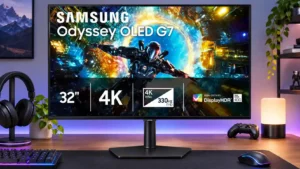
Overall: 3.8/5
Running at Full HD or adjusting Windows scaling brings visible softness and usability annoyances despite the faster gameplay.
Pros: overall satisfaction, contrast
Cons: value for money, port selection