Best for adaptive sync performance
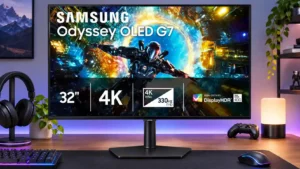
Samsung Odyssey OLED G80SH S32HG802S
5.0 attribute score
Highest scored product for this attribute based on supporting review evidence.

Highest scored product for this attribute based on supporting review evidence.
Balances the attribute score, supporting reviews, and overall product strength.
Has the broadest review evidence for this attribute.
Strongest overall product among items with scored evidence for this attribute.

Overall: 4.1/5
FreeSync and G-SYNC-compatible variable refresh help smooth inconsistent frame delivery and reduce tearing, though dark-scene flicker is still possible.
Pros: PC gaming compatibility, reflection handling
Cons: color accuracy, VRR flicker

Overall: 3.7/5
FreeSync and G-Sync compatibility help keep racing and other fast games fluid, with one hands-on account finding smooth play without tearing.
Pros: value for money, black levels
Cons: refresh rate, portability and weight

Overall: 3.7/5
FreeSync and G-Sync compatibility help conventional gaming stay smooth and tear-free. These benefits apply to standard play, not all of the specialized 3D display modes.
Pros: glasses-free 3D quality, AI 2D-to-3D conversion
Cons: 3D compatible game library, value for money

Overall: 3.6/5
VRR reduces tearing and generally behaves well with compatible GPUs; console support and the best overdrive settings are less straightforward.
Pros: stand adjustability, competitive gaming suitability
Cons: value for money, port selection
Overall: 3.8/5
FreeSync and G-SYNC compatibility help keep gameplay smooth with reduced tearing and stutter across different graphics systems.
Pros: overall satisfaction, contrast
Cons: value for money, port selection

Overall: 3.1/5
Broad adaptive-sync support helps smooth games and control tearing across changing frame rates.
Pros: PC gaming compatibility, overall picture quality
Cons: overall satisfaction, Smart TV platform

Overall: 4.3/5
Adaptive sync is usually smooth and tear-free across Nvidia and AMD GPUs, but one test found conspicuous VRR flicker in dark and mid-tone scenes. Samsung’s VRR Control can help, though...
Pros: overall satisfaction, competitive gaming suitability
Cons: value for money, screen size

Overall: 4.2/5
FreeSync and VRR help keep action smooth when frame rates fluctuate. Some setups may require tweaking VRR Control because flicker can be noticeable.
Pros: reflection handling, color gamut
Cons: value for money, brightness

Overall: 3.5/5
VRR provides smooth gameplay but locks the overdrive setting; the fixed tuning can become troublesome at lower frame rates.
Pros: Resolution, sharpness
Cons: value for money, HDR performance