Best for status light usefulness
TP-Link Archer BE900
5.0 attribute score
Highest scored product for this attribute based on supporting review evidence.

Highest scored product for this attribute based on supporting review evidence.
Balances the attribute score, supporting reviews, and overall product strength.
Has the broadest review evidence for this attribute.
Strongest overall product among items with scored evidence for this attribute.
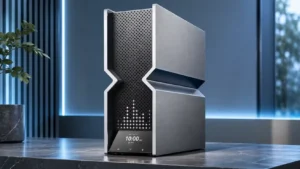
Overall: 4.1/5
The display-based approach avoids the annoyance of conventional blinking status lights.
Pros: wireless performance, Wi-Fi speed
Cons: value for money, size and footprint

Overall: 4.0/5
The colored indicator makes it convenient to check whether a node is healthy or having problems.
Pros: setup ease, Overall satisfaction
Cons: Wi-Fi 7 support, satellite performance

Overall: 4.1/5
Visible indicators provide useful at-a-glance information about network and connection status.
Pros: value for money, Wi-Fi speed
Cons: 6 GHz performance, subscription requirements

Overall: 4.1/5
The status lights are neatly implemented and fit the clean hardware design.
Pros: value for money, mobile app quality
Cons: Ethernet port count, subscription requirements

Overall: 4.3/5
The front light strip communicates status and looks attractive to some, but others find it distracting.
Pros: value for money, Wi-Fi speed
Cons: subscription requirements, WAN port speed

Overall: 4.2/5
The bottom-mounted indicator is subtle but can be harder to see directly.
Pros: value for money, Wi-Fi speed
Cons: subscription requirements, long-range speed
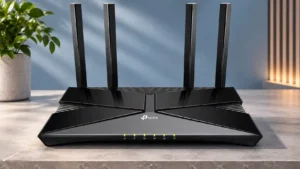
Overall: 3.7/5
The front LEDs communicate status, but cryptic icons, inexpensive styling and a shared Ethernet indicator reduce their usefulness.
Pros: Overall satisfaction, value for money
Cons: USB port support, 160 MHz support