Best for app setup quality
TP-Link Archer BE550
4.9 attribute score
Highest scored product for this attribute based on supporting review evidence.

Highest scored product for this attribute based on supporting review evidence.
Balances the attribute score, supporting reviews, and overall product strength.
Has the broadest review evidence for this attribute.
Strongest overall product among items with scored evidence for this attribute.

Overall: 4.3/5
Tether's guided setup receives consistent praise for simplicity and quick completion.
Pros: value for money, Wi-Fi speed
Cons: subscription requirements, WAN port speed
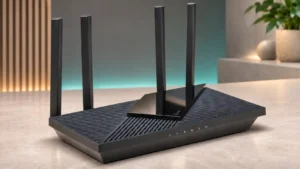
Overall: 4.0/5
Tether makes initial discovery and configuration particularly straightforward.
Pros: value for money, parental controls
Cons: subscription requirements, multi-gig Ethernet support

Overall: 4.1/5
Tether makes initial configuration straightforward, with guided steps and QR-assisted onboarding.
Pros: wireless performance, Wi-Fi speed
Cons: value for money, size and footprint

Overall: 4.1/5
The Tether app provides a guided, approachable setup process. Some unusual network configurations and the online login requirement introduce friction.
Pros: value for money, Wi-Fi speed
Cons: 6 GHz performance, subscription requirements
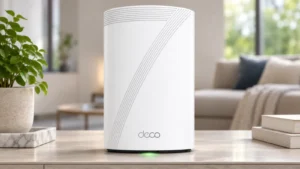
Overall: 4.1/5
The guided app setup is clear and approachable, including when upgrading from an older Deco system.
Pros: value for money, mobile app quality
Cons: Ethernet port count, subscription requirements

Overall: 4.2/5
The Deco app guides setup well and usually discovers hardware quickly, although initial modem or node detection can require troubleshooting.
Pros: value for money, Wi-Fi speed
Cons: subscription requirements, long-range speed
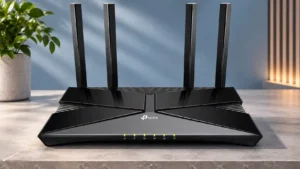
Overall: 3.7/5
Tether simplifies setup, although reconnecting after changing network credentials can be briefly awkward.
Pros: Overall satisfaction, value for money
Cons: USB port support, 160 MHz support
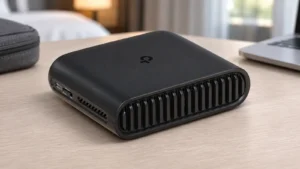
Overall: 3.8/5
The Tether app makes initial configuration easy, with advanced settings available through the browser afterward.
Pros: Internet source flexibility, Overall satisfaction
Cons: battery portability, External power dependence