Best for software customization
Thrustmaster eSwap X2 H.E.
5.0 attribute score
Highest scored product for this attribute based on supporting review evidence.

Highest scored product for this attribute based on supporting review evidence.
Balances the attribute score, supporting reviews, and overall product strength.
Has the broadest review evidence for this attribute.
Strongest overall product among items with scored evidence for this attribute.
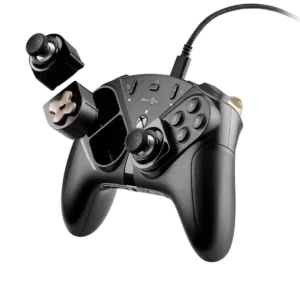
Software customization is deep, covering stick curves and dead zones, trigger behavior, button mapping, profiles, and other detailed settings.
Pros: overall satisfaction, customization depth
Cons: value for money, upgrade value

Software customization was a major strength, with reviewers highlighting extensive settings for controls, triggers, sticks, RGB, and profiles.
Pros: value for money, charging dock support
Cons: d-pad feel, compatibility with Xbox
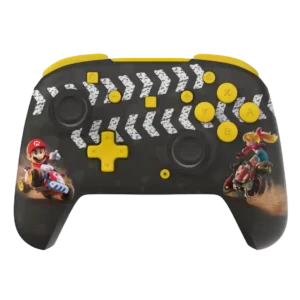
Control Hub offers useful remapping, dead-zone, sensitivity, and trigger adjustments, giving budget wired models more tuning depth than their price suggests.
Pros: overall satisfaction, value for money
Cons: premium feel, vibration quality

Software tuning is extensive, with detailed control over curves, deadzones, triggers, vibration, lighting and profiles. The settings are powerful even when the delivery method is divisive.
Pros: overall satisfaction, button quality
Cons: d-pad accuracy, charging dock support
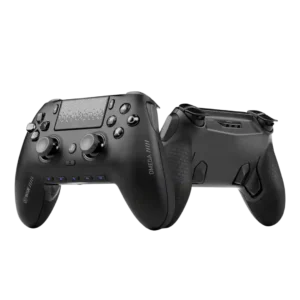
Software customization is deep enough for stick curves, dead zones, lighting, profiles, and button maps. Reviewers generally found it practical rather than overwhelming.
Pros: overall satisfaction, companion app quality
Cons: back button placement, value for money

Software customization is deeper than the tiny controller suggests, with remapping, layout swaps, turbo, D-pad tuning, screen tools, and touch mapping all mentioned.
Pros: retro gaming suitability, ease of setup
Cons: overall satisfaction, d-pad accuracy
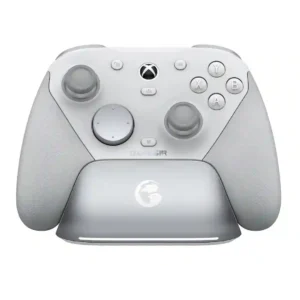
Nexus provides deep software control over mappings, response curves, deadzones, vibration, gyro, and profiles. PC gets the richest experience, while mobile customization is more limited and the app itself can...
Pros: overall satisfaction, premium feel
Cons: compatibility with Xbox, d-pad feel
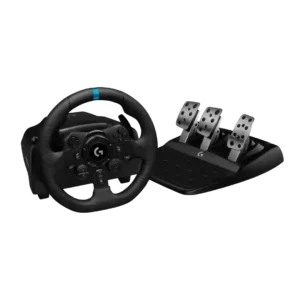
G Hub offers useful button mapping, wheel range, pedal sensitivity, force settings, macros, and per-game profiles. Console users get far fewer adjustment options, and a few reviewers wanted deeper controls.
Pros: overall satisfaction, brake pedal performance
Cons: value for money, TrueForce game support
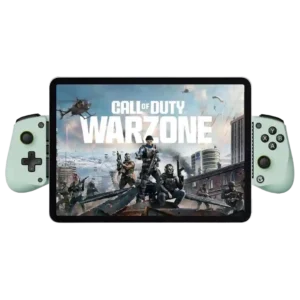
Reviewers discuss software customization as part of the X5 Lite’s budget mobile-controller tradeoff. Comments are practical and tied to phone gaming, device fit, or the limits of the Lite design.
Pros: overall satisfaction, value for money
Cons: d-pad accuracy, analog trigger precision
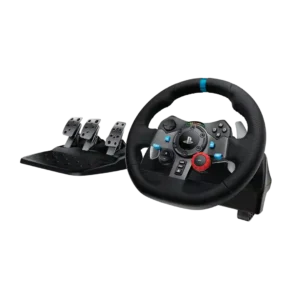
G Hub provides useful control over rotation, sensitivity, profiles, and button assignments. Some older reviews found force-feedback tuning limited or software behavior inconsistent.
Pros: force feedback quality, overall satisfaction
Cons: wheel noise, pedal set stability
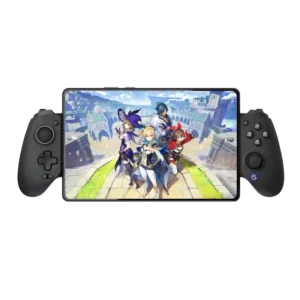
Dead zones, vibration, layouts, mapping, and trigger behavior are highly adjustable even though the app itself needs polish.
Pros: value for money, phone grip and fit
Cons: companion app quality, vibration quality
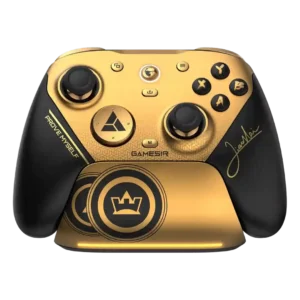
The app offers extensive tuning for buttons, sticks, triggers, gyro, dead zones, polling, macros, and profiles. Recognition problems and a few assignment limits prevent a uniformly smooth experience.
Pros: overall satisfaction, button quality
Cons: vibration quality, compatibility with Xbox
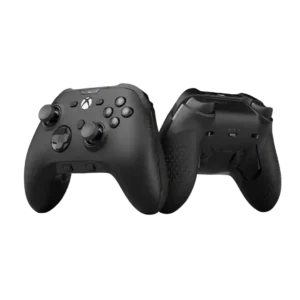
Software customization was mixed: several reviews praised deadzone, curve, and remapping controls, while others disliked beta status, missing support, or limited options.
Pros: analog stick precision, software customization
Cons: value for money, companion app quality
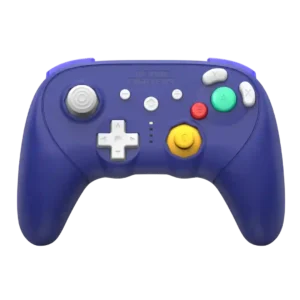
Calibration and firmware tools can solve real issues, but the lack of deeper trigger tuning leaves some performance-minded users wanting more control.
Pros: overall satisfaction, overall comfort
Cons: button quality, value for money
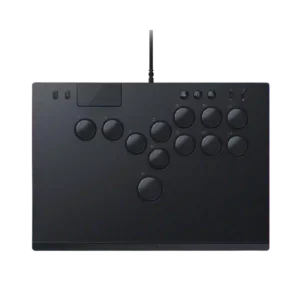
Software customization was mixed: reviewers criticized an early SOCD constraint, while firmware later improved configuration.
Pros: face button responsiveness, button quality
Cons: value for money, learning curve
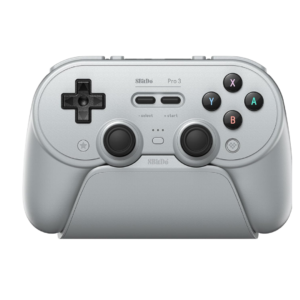
Dead zones, stick curves, trigger ranges, macros, profiles, and vibration can be adjusted in detail. The breadth is excellent, but the interface and platform limitations make it less polished than...
Pros: overall satisfaction, charging dock support
Cons: button noise, 2.4GHz dongle performance

Software controls allow adjustment of deadzones, sensitivity, layouts, and virtual touch mappings. The range is impressive, but achieving ideal settings can require trial and error.
Pros: overall satisfaction, overall comfort
Cons: phone grip and fit, durability

There is no meaningful companion software for tuning curves, deadzones, profiles, or sensitivity. Players who expect software-driven pro customization see this as a major limitation.
Pros: overall satisfaction, value for money
Cons: wired performance, vibration quality
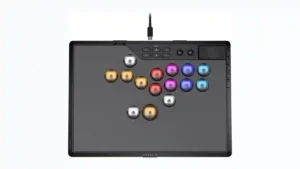
Software customization is a clear weakness because the controller lacks a desktop configuration app. One reviewer specifically criticized the absence of software for checking and managing settings from a PC.
Pros: overall satisfaction, button quality
Cons: control placement, button noise