Best for button quality
Thrustmaster eSwap X2 H.E.
5.0 attribute score
Highest scored product for this attribute based on supporting review evidence.

Highest scored product for this attribute based on supporting review evidence.
Balances the attribute score, supporting reviews, and overall product strength.
Has the broadest review evidence for this attribute.
Strongest overall product among items with scored evidence for this attribute.
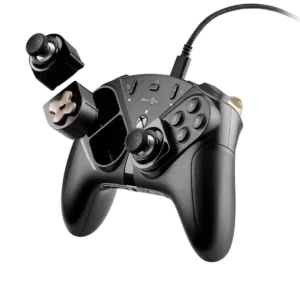
Mechanical buttons are one of the controller's clearest strengths, with clicky, tactile, satisfying presses that feel robust and fast.
Pros: overall satisfaction, customization depth
Cons: value for money, upgrade value
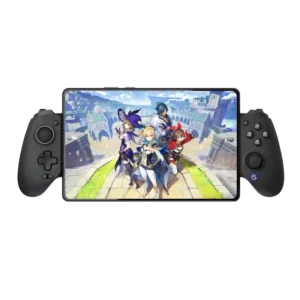
Buttons are widely praised for tactile feedback, satisfying clicks, and a substantial premium feel.
Pros: value for money, phone grip and fit
Cons: companion app quality, vibration quality

Micro-switch buttons are one of the most consistently praised parts of the controller, offering crisp, tactile and very fast presses. Some testers find the rigid click harsh over long sessions.
Pros: overall satisfaction, button quality
Cons: d-pad accuracy, charging dock support
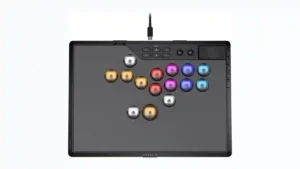
Most reviewers liked the buttons' feel, reliability, click, and smoothness, with several calling them especially satisfying. The main dissent comes from concerns about their tall shape and one review that...
Pros: overall satisfaction, button quality
Cons: control placement, button noise
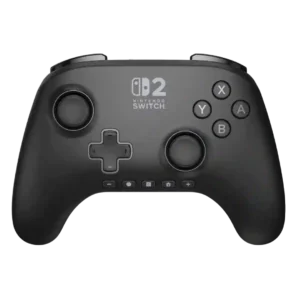
Buttons are usually described as responsive, smooth, and satisfying, with only isolated criticism of the overall layout rather than their basic operation.
Pros: overall satisfaction, design and aesthetics
Cons: Switch wake support, Start and Select button design

Face buttons are typically tactile, responsive, and close to console-controller quality. Critics mainly object to the use of membrane switches at this price rather than to everyday performance.
Pros: overall satisfaction, overall comfort
Cons: phone grip and fit, durability

Button feel ranges from pleasantly springy and tactile to slightly soft or smooshy, but the overall balance is positive. Most inputs feel dependable rather than premium or microswitch-crisp.
Pros: overall satisfaction, value for money
Cons: wired performance, vibration quality
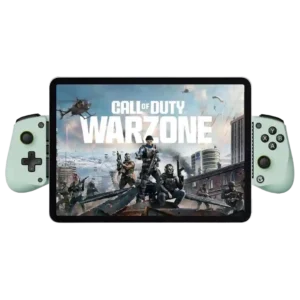
The buttons are usually considered responsive and usable, though clearly membrane-based. Some like the quiet or satisfying presses, while others find them mushy or loud.
Pros: overall satisfaction, value for money
Cons: d-pad accuracy, analog trigger precision
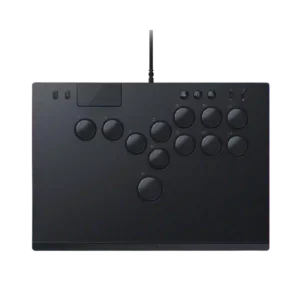
Button quality was a major strength overall, but stock switch feel drew some criticism for limited feedback or mushiness.
Pros: face button responsiveness, button quality
Cons: value for money, learning curve
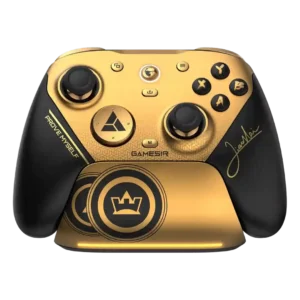
Most reviewers love the crisp optical and mechanical switches, describing them as tactile, fast, and satisfying. A minority encountered stuck buttons or found the clickiness excessive.
Pros: overall satisfaction, button quality
Cons: vibration quality, compatibility with Xbox
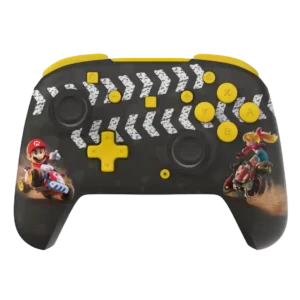
Buttons are usually crisp, firm, and satisfying, but a minority of reviews criticize excessive stiffness or sponginess on specific variants.
Pros: overall satisfaction, value for money
Cons: premium feel, vibration quality
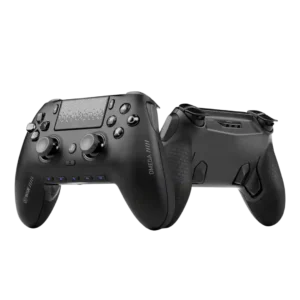
The clicky mechanical buttons are a highlight for many reviewers, who find them tactile and fast. A few users dislike the same clickiness or found one stick-click input less consistent.
Pros: overall satisfaction, companion app quality
Cons: back button placement, value for money
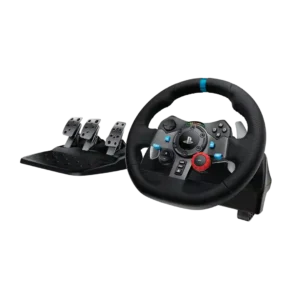
Most buttons are responsive, plentiful, and useful for in-race adjustments. The feel is inconsistent across controls, and the crowded layout can cause occasional mispresses.
Pros: force feedback quality, overall satisfaction
Cons: wheel noise, pedal set stability
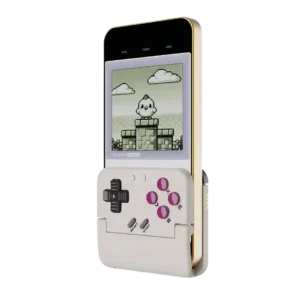
The face controls are often praised for nostalgic membrane feel and usable tactility, but several customers found them mushy, sticky, clicky, or only adequate.
Pros: retro gaming suitability, ease of setup
Cons: overall satisfaction, d-pad accuracy

Button quality was divisive, ranging from perfect clickiness and improved microswitches to soft or mushy complaints.
Pros: value for money, charging dock support
Cons: d-pad feel, compatibility with Xbox
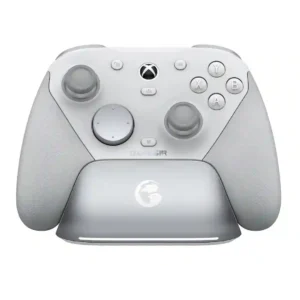
Optical and mechanical switches are widely praised for crisp, tactile actuation and a more premium feel than membrane buttons. Face-button feel is the exception, with a few reviewers calling the...
Pros: overall satisfaction, premium feel
Cons: compatibility with Xbox, d-pad feel
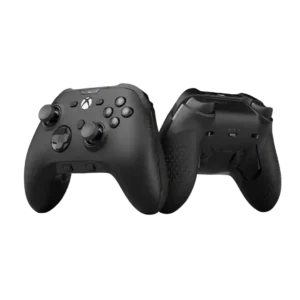
Button quality was mixed: some reviewers liked the tactile feel, while others criticized membrane switches as dated or underwhelming for the price.
Pros: analog stick precision, software customization
Cons: value for money, companion app quality
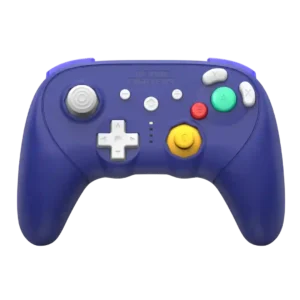
Button feel is sharply split: many praise solid, tactile presses, while several owners describe the face buttons as gummy, mushy, cheap, or prematurely worn-feeling.
Pros: overall satisfaction, overall comfort
Cons: button quality, value for money
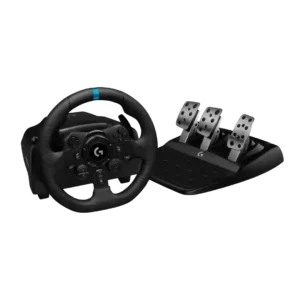
Button impressions are split: some reviewers found the controls solid and tactile, while others criticized the cheap D-pad, delicate small buttons, and unreliable rotary dial.
Pros: overall satisfaction, brake pedal performance
Cons: value for money, TrueForce game support
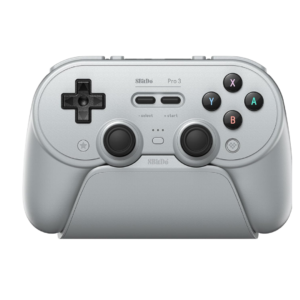
Most controls feel tactile and solid, but the face buttons are polarizing because they are loud and sometimes feel hollow or inconsistent. Mushy Start and Select buttons are another recurring...
Pros: overall satisfaction, charging dock support
Cons: button noise, 2.4GHz dongle performance