Best for software customization
GameSir Cyclone 2 Wireless Controller
4.9 attribute score
Highest scored product for this attribute based on supporting review evidence.

Highest scored product for this attribute based on supporting review evidence.
Balances the attribute score, supporting reviews, and overall product strength.
Has the broadest review evidence for this attribute.
Strongest overall product among items with scored evidence for this attribute.

Software customization was a major strength, with reviewers highlighting extensive settings for controls, triggers, sticks, RGB, and profiles.
Pros: value for money, charging dock support
Cons: d-pad feel, compatibility with Xbox
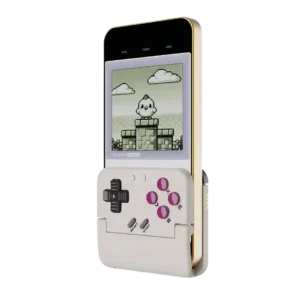
Software customization is deeper than the tiny controller suggests, with remapping, layout swaps, turbo, D-pad tuning, screen tools, and touch mapping all mentioned.
Pros: retro gaming suitability, ease of setup
Cons: overall satisfaction, d-pad accuracy
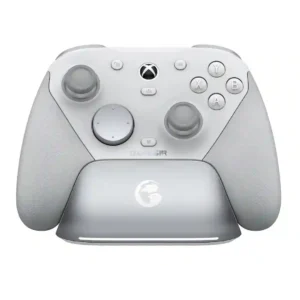
Nexus provides deep software control over mappings, response curves, deadzones, vibration, gyro, and profiles. PC gets the richest experience, while mobile customization is more limited and the app itself can...
Pros: overall satisfaction, premium feel
Cons: compatibility with Xbox, d-pad feel
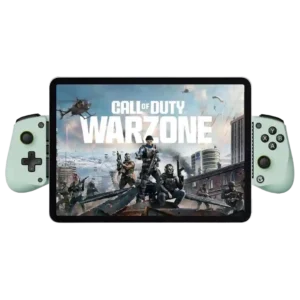
Reviewers discuss software customization as part of the X5 Lite’s budget mobile-controller tradeoff. Comments are practical and tied to phone gaming, device fit, or the limits of the Lite design.
Pros: overall satisfaction, value for money
Cons: d-pad accuracy, analog trigger precision
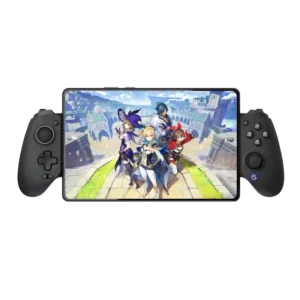
Dead zones, vibration, layouts, mapping, and trigger behavior are highly adjustable even though the app itself needs polish.
Pros: value for money, phone grip and fit
Cons: companion app quality, vibration quality
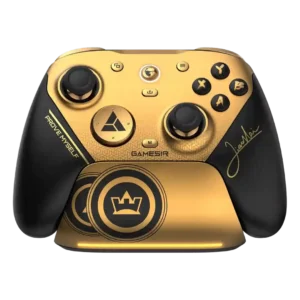
The app offers extensive tuning for buttons, sticks, triggers, gyro, dead zones, polling, macros, and profiles. Recognition problems and a few assignment limits prevent a uniformly smooth experience.
Pros: overall satisfaction, button quality
Cons: vibration quality, compatibility with Xbox

Software controls allow adjustment of deadzones, sensitivity, layouts, and virtual touch mappings. The range is impressive, but achieving ideal settings can require trial and error.
Pros: overall satisfaction, overall comfort
Cons: phone grip and fit, durability