If you want better microphone passthrough quality
Choose Asus ROG Raikiri II. It scores 5.0 vs 1.0 for microphone passthrough quality, with a 4.3 overall score.

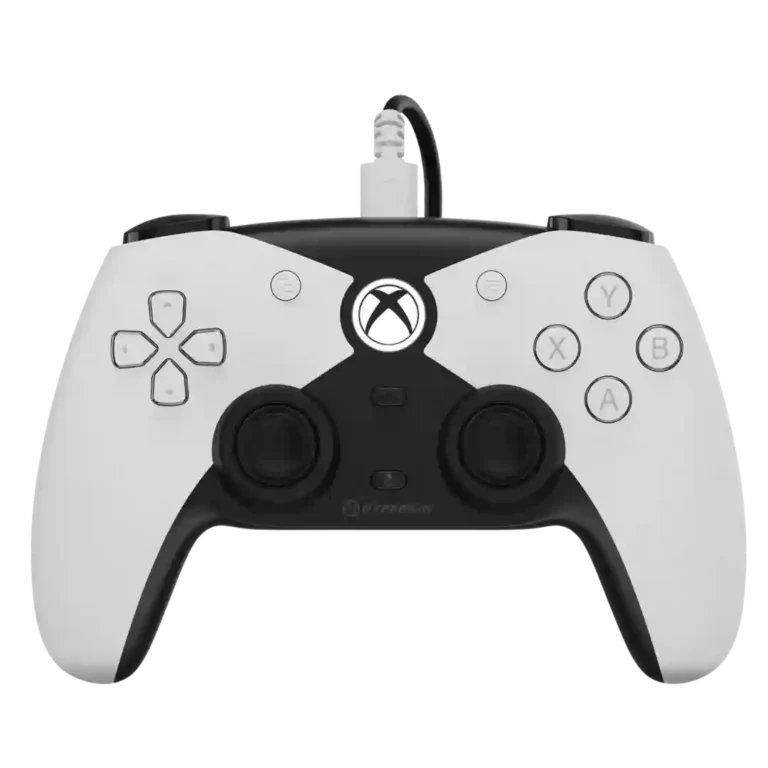
Choose it for a comfortable, affordable Xbox/PC pad with precise Hall sticks, a PlayStation-style layout, and useful rear buttons. Skip it if wireless play, deep software tuning, or consistently top-tier D-pad performance matters most.
Best for Xbox or PC players who prefer symmetrical PlayStation-style sticks, game at a desk or do not mind a cable, and want Hall Effect precision plus useful rear buttons without premium-controller pricing.
Less suitable for couch players who insist on wireless, small-handed users, or competitive players who want 1000 Hz polling, hair-trigger stops, deep software tuning, and a universally consistent D-pad.
The Competitor succeeds by keeping its ambitions focused: it delivers a comfortable PlayStation-style shape for Xbox and PC, precise Hall Effect sticks and triggers, useful lockable rear buttons, and generally solid construction at about $50. Its best traits are tactile rather than flashy, and many players find it excellent for 2D games, racing, shooters, and long sessions. The tradeoffs are clear, though. It is wired-only, software customization is shallow, trigger stops are absent, and D-pad opinions range from excellent to spongy or inaccurate during rapid reversals. Polling-rate and latency assessments also conflict, making it less convincing as an esports-first choice than as a dependable everyday controller.
Compared with other Video Game Controller, this product is above average in compatibility with Xbox, hand fatigue over long sessions, consistency across sessions, near average in d-pad feel, overall satisfaction, below average in onboard profile storage, software customization, customization depth.
| Attribute | This product | Category average | Difference |
|---|---|---|---|
| onboard profile storage | 1.5 | 4.3 | -2.8 |
| software customization | 1.6 | 4.1 | -2.5 |
| customization depth | 2.0 | 4.4 | -2.4 |
| trigger stop effectiveness | 2.2 | 4.4 | -2.2 |
| bumper responsiveness | 2.0 | 4.2 | -2.2 |
| compatibility with PlayStation | 1.0 | 3.1 | -2.1 |
| companion app quality | 1.6 | 3.6 | -2.0 |
| casual gaming suitability | 2.3 | 4.0 | -1.7 |
Choose Asus ROG Raikiri II. It scores 5.0 vs 1.0 for microphone passthrough quality, with a 4.3 overall score.
Choose Turtle Beach Rematch. It scores 5.0 vs 1.5 for onboard profile storage, with a 4.2 overall score.
Choose Thrustmaster eSwap X2 H.E.. It scores 5.0 vs 1.6 for software customization, with a 3.9 overall score.
Choose GameSir G8 Galileo. It scores 4.1 vs 1.0 for compatibility with PlayStation, with a 4.1 overall score.
Products reviewers directly compared with this model, grouped into quick takeaways.
No. It is wired-only, using a detachable USB-C cable. Some players value the stable connection and no-charging convenience, while many couch gamers call the cable its biggest drawback.
Yes. Reviewers report straightforward plug-and-play use on Xbox and Windows PC, helped by official Xbox licensing. Despite its DualSense-like design, it is not compatible with PlayStation hardware.
The Hall Effect sticks are consistently praised for strong centering, smooth movement, and drift resistance, and several tests reported no drift. They reduce the usual wear risk, but the reviews do not establish an absolute lifetime guarantee.
Opinions are mixed. Many players love its soft, bouncy PlayStation-style feel for 2D and fighting games, while others find it spongy, wobbly, harsh, or prone to misreads during very fast reversals.
Yes. The two rear buttons can be mapped directly on the controller without software, and physical locks can disable their movement. Placement is usually praised, though a few players still press them accidentally.
It can be, but it is not a universal esports pick. Some tests praise its wired responsiveness and tournament-ready feel, while others criticize the 250 Hz polling ceiling, full trigger travel, or D-pad behavior.
These are a few of the reviews included in our analysis.




Go to GamingNexus.com for news and reviews on video games, consoles, and PCs.
Hyperkin The Competitor is an attempt to bring a DualSense-like gamepad to Xbox. Here is our review.
Video Game News & Reviews from hardcore gamers.
The latest Review,,,reviews, breaking news, comment, reviews and features from the experts at PC Gamer
The Competitor from Hyperkin promises tournament-ready performance. Can it deliver? Find out in our review.

Best for precise TMR sticks, fast trigger stops, low-latency 2.4GHz play, and deep tuning. Skip it if you want a cheaper all-rounder, softer buttons for long sessions, or painless console-only...
Pros: face button travel, trigger responsiveness
Cons: Start and Select button design, button label visibility

Best for a comfortable, affordable Xbox/PC pad with precise Hall sticks, a PlayStation-style layout, and useful rear buttons. Skip it if wireless play, deep software tuning, or consistently top-tier D-pad...
Pros: ergonomics, hand fatigue over long sessions
Cons: compatibility with PlayStation, microphone passthrough quality

Choose the GameSir Cyclone 2 if you want a low-cost PC/Switch/mobile controller with precise sticks, deep customization, and a dock. Skip it if Xbox/PS5 support, premium buttons, or flawless dock/battery...
Pros: hand fatigue over long sessions, macro support
Cons: compatibility with Xbox, compatibility with PlayStation
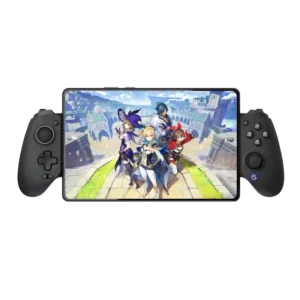
Best for console-like comfort, precise Hall controls, reliable wired play, and iPhone or iPad mini support. Skip it if you need pocketable hardware, Switch compatibility, polished software, or dependable mobile...
Pros: d-pad accuracy, analog stick precision
Cons: gyro aiming performance, brand software support