Best for companion app quality
Thrustmaster eSwap X2 H.E.
4.5 attribute score
Highest scored product for this attribute based on supporting review evidence.

Highest scored product for this attribute based on supporting review evidence.
Balances the attribute score, supporting reviews, and overall product strength.
Has the broadest review evidence for this attribute.
Strongest overall product among items with scored evidence for this attribute.
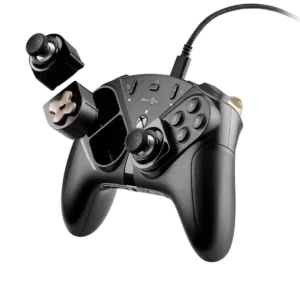
ThrustmapperX gives broad access to controller tuning, making it a capable companion for players who want to fine-tune inputs.
Pros: overall satisfaction, customization depth
Cons: value for money, upgrade value
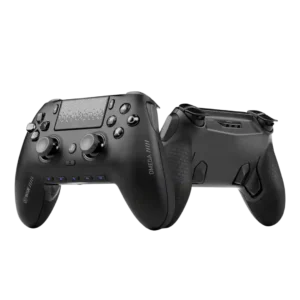
The companion app is usually praised for making setup and customization easier, with fast real-time changes. A small number of users had trouble connecting or updating through it.
Pros: overall satisfaction, companion app quality
Cons: back button placement, value for money
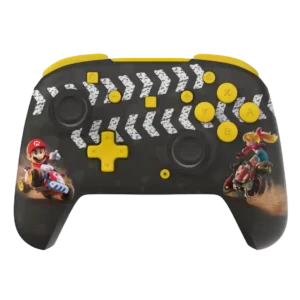
Control Hub is generally simple and useful for dead zones, vibration, diagnostics, and remapping, though it is not described as unusually deep.
Pros: overall satisfaction, value for money
Cons: premium feel, vibration quality

The app and GameHub features can help with mapping, firmware, and game discovery, but reviewers describe them as limited, Android-leaning, or hit-or-miss.
Pros: overall satisfaction, value for money
Cons: d-pad accuracy, analog trigger precision

Companion app quality was sharply mixed: several reviewers liked the layout and control depth, while others called it janky or unsupported on mobile.
Pros: value for money, charging dock support
Cons: d-pad feel, compatibility with Xbox
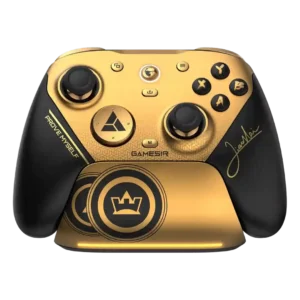
GameSir Connect is usually considered intuitive and feature-rich, with easy access to polling, dead zones, profiles, and remapping. Several users experienced recognition or reconnection problems, however.
Pros: overall satisfaction, button quality
Cons: vibration quality, compatibility with Xbox

The companion app is powerful for calibration, firmware, touch mapping, and game launching. Its polish and reliability vary, with reports of crashes, clunky navigation, iOS limitations, and recognition problems.
Pros: overall satisfaction, overall comfort
Cons: phone grip and fit, durability

Gear Link offers strong control without a heavy desktop app, and many testers like the browser-based approach. Others strongly dislike the internet requirement, PC dependence or setup friction, making the...
Pros: overall satisfaction, button quality
Cons: d-pad accuracy, charging dock support
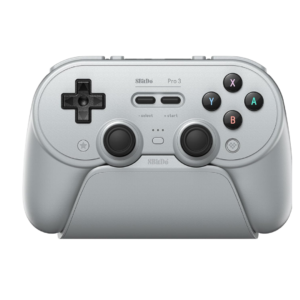
Ultimate Software V2 offers deep control over profiles, macros, dead zones, triggers, and vibration. Its rough interface, bugs, connection problems, and confusing workflow are among the most consistent complaints.
Pros: overall satisfaction, charging dock support
Cons: button noise, 2.4GHz dongle performance
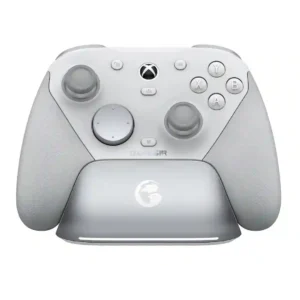
Nexus offers powerful tuning, profiles, remapping, polling-rate controls, and gyro settings, but the app itself divides opinion. Some call it intuitive and lightweight, while others report disconnects, awkward menus, readability...
Pros: overall satisfaction, premium feel
Cons: compatibility with Xbox, d-pad feel
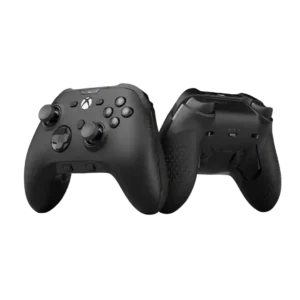
Companion app quality was mixed, ranging from essential and intuitive to barebones, beta-limited, laggy, or unfinished.
Pros: analog stick precision, software customization
Cons: value for money, companion app quality

The companion app is one of the bigger friction points. It enables testing, remapping, firmware, and screen tools, but reviewers also called it confusing, limited, or unhelpful.
Pros: retro gaming suitability, ease of setup
Cons: overall satisfaction, d-pad accuracy

The app exposes useful tuning tools, but reviewers repeatedly criticize its bugs, dull interface, unstable recognition, and uneven platform support.
Pros: value for money, phone grip and fit
Cons: companion app quality, vibration quality

There is effectively no companion app for sensitivity, curves, profiles, or other deep settings. Several players see that absence as a meaningful disadvantage against similarly priced rivals.
Pros: overall satisfaction, value for money
Cons: wired performance, vibration quality
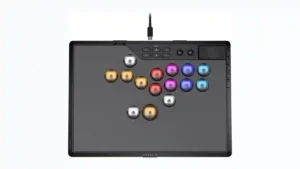
Reviewers wanted a companion app or screen to make the controller's many settings easier to understand. The lack of one leaves users relying on button combinations, lights, and the manual.
Pros: overall satisfaction, button quality
Cons: control placement, button noise