#1
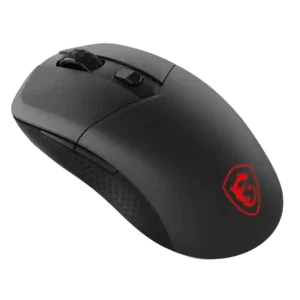
Overall: 4.4/5
The 2.4GHz link is consistently described as fast and dependable, including at high polling rates. Several testers said it behaved much like a wired connection.
Pros: software usability, sensor performance
Cons: RGB features, scroll wheel quality
#2
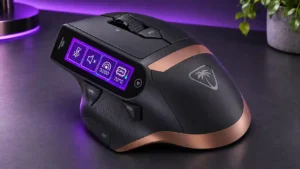
Overall: 3.6/5
The 2.4GHz option is part of a versatile three-mode connection system alongside Bluetooth and USB wired use.
Pros: charging convenience, battery life
Cons: Touchscreen usefulness, value for money
#3
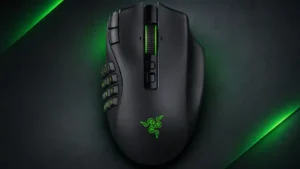
Overall: 4.2/5
The 2.4GHz connection feels fast and dependable for games, with straightforward pairing.
Pros: Interchangeable side panels, MMO gaming suitability
Cons: value for money, FPS gaming suitability
#4

Overall: 4.4/5
Dongle-based wireless connectivity was praised for helpful indicators, strong signal, and improved convenience over older dongles.
Pros: value for money, weight
Cons: click noise, RGB features
#5
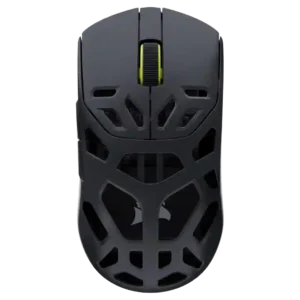
Overall: 4.2/5
The 2.4GHz connection was praised for low latency and rapid movement/click response in gaming use.
Pros: shape comfort, sensor performance
Cons: value for money, side button quality
#6
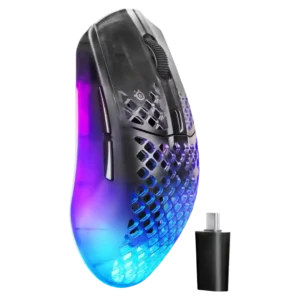
Overall: 4.3/5
2.4GHz connectivity was praised for enabling the best polling experience and for reliable dongle placement close to the mouse.
Pros: software usability, polling rate
Cons: palm grip comfort, fingertip grip comfort
#7
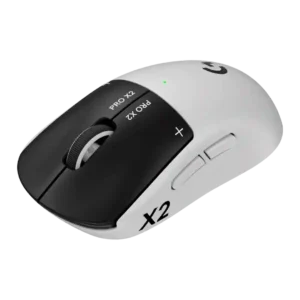
Overall: 4.0/5
The 2.4GHz dongle connection is described as fast and stable, with no lag or drop-outs in the cited review.
Pros: switch feel, click latency
Cons: value for money, glide smoothness
