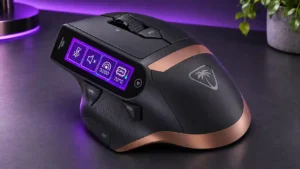
Overall: 3.6/5
Optical switches consistently earn praise for a snappy, responsive click.
Pros: charging convenience, battery life
Cons: Touchscreen usefulness, value for money

Overall: 3.6/5
Optical switches consistently earn praise for a snappy, responsive click.
Pros: charging convenience, battery life
Cons: Touchscreen usefulness, value for money
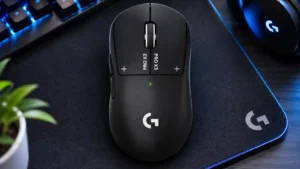
Overall: 3.8/5
Tuned main triggers respond rapidly and make repeated inputs easier; the conventional side buttons are much less crisp.
Pros: balance and weight distribution, weight
Cons: Upgrade value, value for money
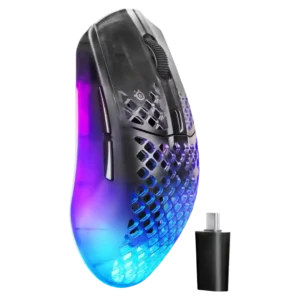
Overall: 4.3/5
Button responsiveness was generally strong, with reviewers describing the buttons as clicky, responsive, crisp, and easy to press.
Pros: software usability, polling rate
Cons: palm grip comfort, fingertip grip comfort

Overall: 4.4/5
Button responsiveness was usually praised as crisp and quick, with one reviewer noting occasional stickiness under spam-clicking.
Pros: value for money, weight
Cons: click noise, RGB features
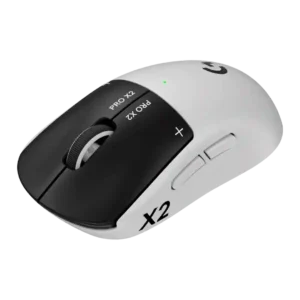
Overall: 4.0/5
Button responsiveness is generally excellent and often described as faster or more immediate, though some reviewers warn about misclicks at aggressive settings.
Pros: switch feel, click latency
Cons: value for money, glide smoothness
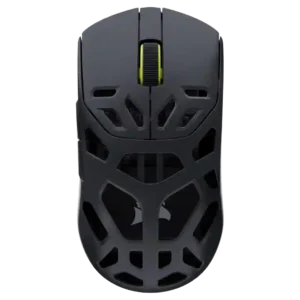
Overall: 4.2/5
Button responsiveness was mixed: primary clicks and overall inputs were praised, while one reviewer found a side button awkward and unresponsive.
Pros: shape comfort, sensor performance
Cons: value for money, side button quality
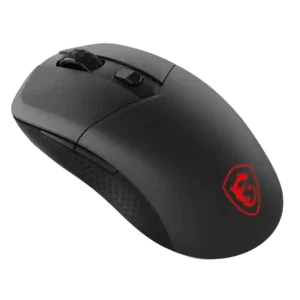
Overall: 4.4/5
Responsiveness ranges from excellent to merely adequate. Some testers praised razor-sharp activation, while others found the main clicks heavier and less immediate than optical rivals.
Pros: software usability, sensor performance
Cons: RGB features, scroll wheel quality