If you want better floor-to-floor coverage
Choose TP-Link Archer AX10. It scores 4.5 vs 1.0 for floor-to-floor coverage, with a 3.7 overall score.

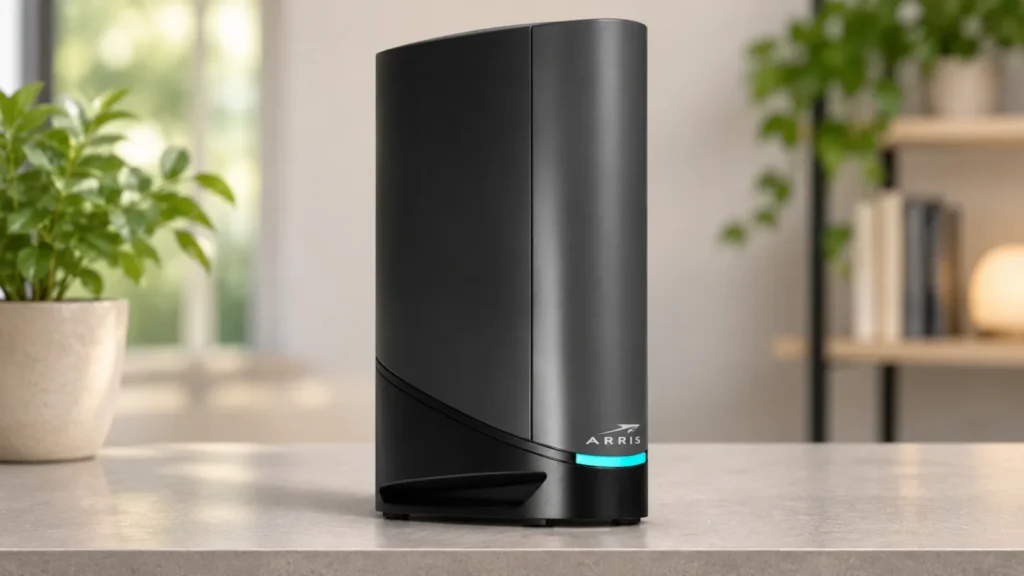
The G36 combines convenient cable modem ownership with strong wired connectivity and good nearby Wi-Fi. Its appeal is tempered by reports of dropouts and hardware failures, plus limited coverage expansion.
Compatible cable internet households around gigabit speeds that want to replace rented equipment, especially those with several wired devices or a compatible multi-gig PC or switch.
Large homes requiring native mesh expansion, households relying on cable telephone service, or owners of newer Wi-Fi 7 devices who want to exploit 6 GHz connectivity.
The ARRIS SURFboard G36 makes the most sense for cable internet subscribers who want to replace rented equipment with a single gateway. Its standout feature is the 2.5 Gbps Ethernet port alongside four gigabit ports, offering useful headroom for compatible wired devices. Close-range Wi-Fi speeds are good, and setup is generally straightforward. However, the wireless performance is closer to budget Wi-Fi 6 routers than newer premium models, and native mesh expansion is missing. Reports of disconnections, unexpected reboots, early hardware failures and activation trouble make reliability a significant caveat. Coverage also varies with home layout. Check your provider’s approved speed tier and equipment charges before buying; published plan limits differ. The G36 is a practical option for compatible cable households, but a separate modem and mesh router may be preferable for larger homes or future upgrades.
Compared with other Routers, this product is above average in LAN port speed, usage schedules, Ethernet port count, near average in design and appearance, Upgrade value, below average in floor-to-floor coverage, connection reliability, dead-zone elimination.
| Attribute | This product | Category average | Difference |
|---|---|---|---|
| floor-to-floor coverage | 1.0 | 4.5 | -3.5 |
| connection reliability | 2.0 | 4.4 | -2.4 |
| dead-zone elimination | 2.0 | 4.4 | -2.4 |
| Wi-Fi 7 support | 2.0 | 4.0 | -2.0 |
| expandability | 2.3 | 4.1 | -1.9 |
| heat management | 2.5 | 4.3 | -1.8 |
| network stability | 2.7 | 4.4 | -1.8 |
| long-term performance | 2.5 | 4.2 | -1.7 |
Choose TP-Link Archer AX10. It scores 4.5 vs 1.0 for floor-to-floor coverage, with a 3.7 overall score.
Choose ARRIS SURFboard G54. It scores 4.8 vs 2.0 for connection reliability, with a 3.7 overall score.
Choose TP-Link Archer AX55. It scores 4.8 vs 2.5 for heat management, with a 4.0 overall score.
Choose GL.iNet Flint 2 (GL-MT6000). It scores 5.0 vs 2.0 for dead-zone elimination, with a 4.4 overall score.
Compared with ARRIS SURFboard G36
Yes. It combines a DOCSIS 3.1 cable modem with a dual-band Wi-Fi 6 router. Confirm the model and plan with your cable provider first.
The 2.5 Gbps Ethernet port provides useful wired headroom, but the supplied guidance gives conflicting maximum plan figures. Check the provider’s approved speed tier for this exact model.
Coverage depends on the layout. Nearby speeds are good, but distant rooms, masonry and multiple floors may have weak spots, and native mesh networking is not supported.
Only if you currently pay to rent compatible cable equipment. Check your bill, because some plans include a gateway at no extra charge.
No. It lacks a telephone port and is not a replacement for cable voice equipment.
Some accounts describe intermittent Wi-Fi, Ethernet or modem disconnections, random reboots and early hardware failures, while others describe dependable operation.
Yes, including website and device blocking and internet access scheduling. It lacks broader content-category filtering and daily usage time limits.
These are a few of the reviews included in our analysis.


Best modem router combo for cable internet: ARRIS SURFboard G36 for plans up to 1 Gbps, NETGEAR CAX30 as an alternative, and SURFboard G54...
Outsmart your ISP bills and unlock multi‑gig Wi‑Fi 6 performance—discover whether the ARRIS G36 is worth the upgrade.
The ARRIS SURFboard G36 is a DOCSIS 3.1 cable modem and dual-band Wi-Fi 6 router combo unit. It's equipped with four 1Gbps and one 2.5Gbps...
Save on rental fees and find the best cable modem for your home.
Did you know internet providers charge a fee for equipment rental? One of these best modem-router combos can help put money back in your pocket.

Choose the R95 for a busy home that needs fast Wi-Fi 7, strong range, multi-gig ports, and low-lag gaming. Skip it for a small, lightly connected space or if advanced...
Pros: Wi-Fi 7 support, Wi-Fi speed

Best for frequent travel, fast VPNs, dual 2.5GbE and resilient multi-WAN. Skip it if you need full 6GHz/320MHz Wi‑Fi 7, mesh, or desktop-class USB storage and long-range indoor coverage.
Pros: VPN client support, value for money
Cons: 6 GHz performance, USB storage sharing

Exceptional VPN speeds, strong Wi-Fi 6 coverage and extensive OpenWrt controls make the Flint 2 a compelling value. Its advanced setup, missing 6GHz band and firmware-specific caveats matter if you...
Pros: setup ease, configuration flexibility
Cons: Wi-Fi 7 support, USB storage sharing

The Beryl AX packs exceptionally flexible VPN and networking tools into a pocket-sized router. It is a great travel companion, but hotel login issues, limited whole-home range and a single...
Pros: Overall satisfaction, size and footprint
Cons: Captive portal handling, Ethernet port count