
Charging convenience was positive because reviewers appreciated the wired design avoiding charging and battery maintenance.
Pros: FPS gaming suitability, weight
Cons: fingertip grip comfort, handedness options

Charging convenience was positive because reviewers appreciated the wired design avoiding charging and battery maintenance.
Pros: FPS gaming suitability, weight
Cons: fingertip grip comfort, handedness options

Charging convenience was positive thanks to quick charging, rapid USB-C top-ups, and the ability to charge without much disruption.
Pros: weight, balance and weight distribution
Cons: water and dust resistance, RGB features
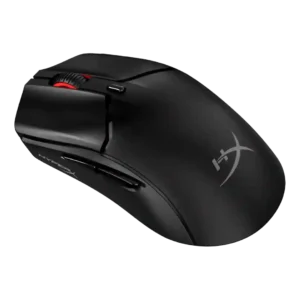
Charging convenience was positive because the mouse can be used while charging from a front USB-C port.
Pros: cable flexibility, connection stability
Cons: motion consistency, software stability

Charging convenience was praised for flexible cables, easy wired charging, and the ability to keep playing while charging.
Pros: left and right click quality, software stability
Cons: polling rate, cross-platform compatibility
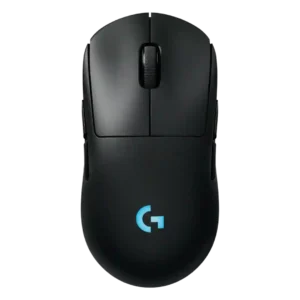
Charging convenience is strong thanks to fast charging impressions, USB-C, and Power Play/constant-power convenience.
Pros: palm grip comfort, handedness options
Cons: Bluetooth support, MMO gaming suitability

Charging convenience was strongest with PowerPlay or AA swapping, though one review disliked the lack of USB-C charging.
Pros: click latency, onboard memory
Cons: lift-off distance, debounce customization

Charging convenience had limited but positive evidence, especially around USB-C fast charging and quick top-ups.
Pros: cable flexibility, weight
Cons: software stability, handedness options

Charging convenience was strong when using USB-C or Powerplay, though one reviewer criticized the full recharge time.
Pros: motion consistency, acceleration control
Cons: cable flexibility, cross-platform compatibility

Charging convenience was positive thanks to fast recharge and easy USB-C top-ups.
Pros: handedness options, Accuracy and tracking precision
Cons: tilt gesture controls, software stability

Charging convenience ranged from excellent with the dock to frustrating when relying on quick wired top-ups.
Pros: lift-off distance, motion consistency
Cons: cross-platform compatibility, handedness options
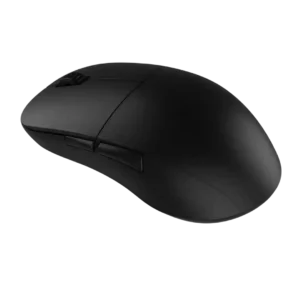
Charging was generally considered simple and convenient, with reviewers pointing to straightforward USB-C charging and about a two-hour charge estimate.
Pros: drag click support, claw grip comfort
Cons: handedness options, Bluetooth support

Charging convenience was acceptable to the reviewer because plugging in during breaks was not treated as a major burden.
Pros: click latency, motion consistency
Cons: handedness options, portability

Charging and dongle convenience were mixed: USB-C and cable placement helped, but the booster/dongle setup could feel chunky.
Pros: connection stability, weight
Cons: handedness options, software usability

Power and charging convenience is mixed: some reviewers like easy-to-buy batteries, while others dislike needing spares or missing an internal rechargeable battery.
Pros: motion consistency, Accuracy and tracking precision
Cons: cable flexibility, palm grip comfort

Charging itself was convenient by USB-C, but the short or unpleasant cable hurt the charging-and-play experience for some reviewers.
Pros: click latency, motion consistency
Cons: handedness options, Bluetooth support

Charging convenience was only lightly covered, but reviewers appreciated fast or usable charging while wishing for a dock or stand.
Pros: click latency, balance and weight distribution
Cons: 2.4GHz connectivity, software stability
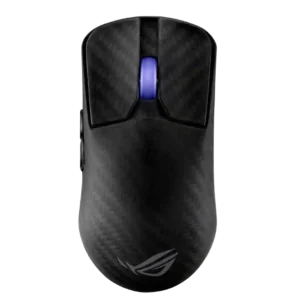
Charging convenience was only lightly discussed, with USB-C charging working but the included cable feeling somewhat stiff to one reviewer.
Pros: Accuracy and tracking precision, sensor performance
Cons: software stability, value for money
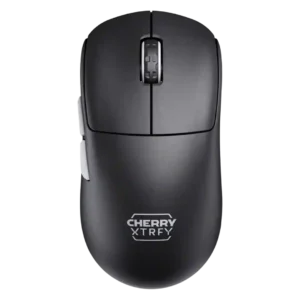
Charging convenience was sharply mixed: quick charging and flexible cables helped, but the side USB-C placement annoyed many reviewers.
Pros: 2.4GHz connectivity, long-session comfort
Cons: programmable buttons, button customization
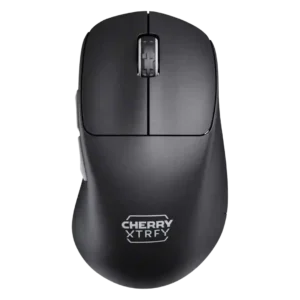
Charging convenience was the most common drawback, with quick charging and flexible cables offset by an awkward side port.
Pros: 2.4GHz connectivity, long-session comfort
Cons: debounce customization, fingertip grip comfort
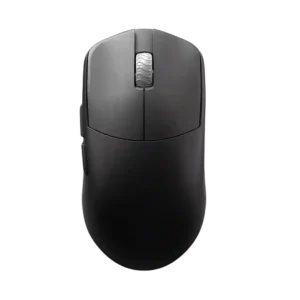
Charging convenience is weak because the included cable makes using the mouse while charging difficult.
Pros: DPI range, balance and weight distribution
Cons: charging convenience, click noise
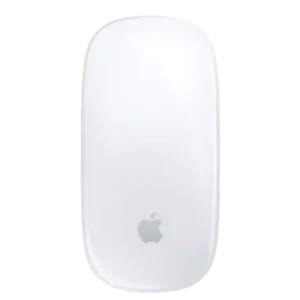
The underside charging port is the most repeated complaint because the mouse cannot normally be used while plugged in, even though some reviewers consider the issue overblown.
Pros: handedness options, grip texture
Cons: programmable buttons, macro support