If you want better long-session comfort
Choose Logitech MX Master 4. It scores 4.0 vs 1.4 for long-session comfort, with a 3.7 overall score.

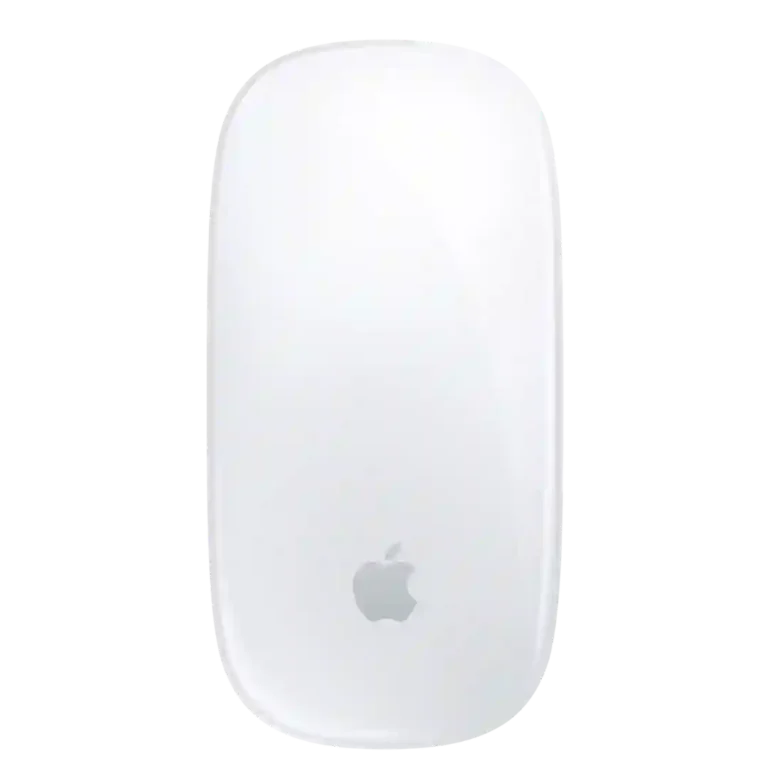
Choose it for fluid Mac gestures, effortless pairing, long battery life, and a slim travel-friendly design. Skip it for all-day mouse-heavy work, multi-device switching, gaming, or if you need ergonomic support and programmable buttons.
Mac users who prioritize trackpad-like gestures, easy Apple integration, smooth scrolling, portability, and long battery life—especially for browsing, creative navigation, and lighter productivity.
All-day mouse-heavy users, larger-handed buyers, gamers, multi-device users, and anyone who wants strong palm support, quiet clicks, programmable buttons, or deep performance tuning.
The Apple Magic Mouse is unusually good at one specific job: bringing trackpad-like gestures to a compact mouse that fits naturally into a Mac setup. Scrolling, horizontal panning, desktop switching, pairing, battery life, build quality, and portability receive consistently strong marks. The tradeoff is equally consistent. Its very flat body offers little palm or wrist support, making extended mouse-heavy work uncomfortable for many users, while the underside charging port, single-device focus, loud clicks, and limited physical controls feel dated beside modern productivity mice. For light browsing, creative navigation, and gesture-first Mac use it can be excellent; for long workdays, multi-device setups, gaming, or deep customization, the ergonomic and functional compromises are hard to ignore.
Compared with other Mice, this product is above average in wired connectivity, handedness options, gesture controls, near average in value for money, battery life, below average in free-spin scrolling, programmable buttons, long-session comfort.
| Attribute | This product | Category average | Difference |
|---|---|---|---|
| free-spin scrolling | 1.0 | 4.6 | -3.6 |
| programmable buttons | 1.0 | 4.4 | -3.4 |
| long-session comfort | 1.4 | 4.5 | -3.1 |
| ergonomic design | 1.4 | 4.5 | -3.0 |
| macro support | 1.0 | 4.3 | -3.3 |
| multi-device support | 1.5 | 4.7 | -3.2 |
| device switching | 1.4 | 4.6 | -3.2 |
| charging convenience | 1.8 | 4.4 | -2.6 |
Choose Logitech MX Master 4. It scores 4.0 vs 1.4 for long-session comfort, with a 3.7 overall score.
Choose Logitech MX Anywhere 3S. It scores 5.0 vs 1.0 for programmable buttons, with a 4.5 overall score.
Choose Logitech MX Master 3S. It scores 4.9 vs 1.4 for ergonomic design, with a 4.2 overall score.
Choose SteelSeries Rival 3 Gen 2 Wireless. It scores 4.4 vs 1.0 for onboard memory, with a 3.9 overall score.
Products reviewers directly compared with this model, grouped into quick takeaways.
Often not. The flat, low-profile shell is the most consistent weakness, with many users reporting wrist, palm, hand, or arm fatigue during long sessions.
They are the standout feature. Scrolling, horizontal panning, page navigation, desktop switching, and other Multi-Touch actions feel fluid and especially natural on macOS.
Battery life is consistently strong, commonly described as lasting weeks to roughly a month between charges. Quick top-ups can also provide hours of additional use.
Most supplied accounts say no because the charging port is underneath the mouse. One article claims USB-C wired use while charging, but that conflicts with the dominant account across the supplied material.
Not especially. The Magic Mouse is generally described as a single-device Bluetooth mouse, and switching between a Mac and another device is much less convenient than dedicated multi-device mice.
It is a poor fit for serious gaming and a weak choice for Windows-first users. Low polling, sparse controls, limited tuning, and reduced gesture functionality outside macOS are recurring limitations.
It can be for Mac users who specifically value Apple gestures, design, and integration. Buyers focused on ergonomics, extra buttons, customization, or cross-platform flexibility often see better value elsewhere.
These are a few of the reviews included in our analysis.




An honest Apple Magic Mouse review covering the charging port, comfort, gestures, battery life, and whether it's the right mouse for your Mac.
Apple Magic Mouse (USB-C) — Multi-Touch gesture mouse for Mac users, now with USB-C charging. Great gestures, but a flat shape, single-device...
An honest review of the Apple Magic Mouse USB-C. Excellent gesture integration and battery life for Mac users, but the flat profile and...
We pit Apple's very low-profile, streamlined Magic Mouse against our favorite fat and feature-filled mouse for Macs, the Logitech MX Master...
The Magic Mouse 2 looks lovely, but doesn't offer much in the way of new features. Our Magic Mouse 2 review tests its features, design and...
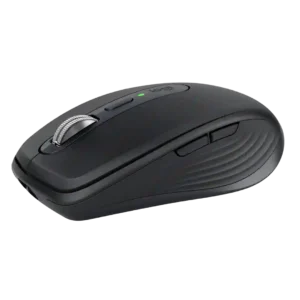
Best for travel, quiet shared spaces, precise any-surface tracking, and multi-device productivity. Skip it if you have large hands, want all-day palm support, or need a gaming-focused mouse.
Pros: motion consistency, programmable buttons
Cons: palm grip comfort, hand support

Choose it if you want a premium MMO/productivity mouse with 12 adjustable side buttons, strong battery life, and Stream Deck integration. Skip it if you need an ultralight FPS mouse,...
Pros: click latency, macro support
Cons: firmware reliability, tilt gesture controls

Choose the Kone II if you want a large, ergonomic mouse with deep customization and strong sensor performance. Skip it if you have small hands, need an ambidextrous mouse, or...
Pros: click latency, motion consistency
Cons: handedness options, portability

Good if you want a large, ergonomic wireless mouse with long battery life and deep customization. Skip it if you have small hands, prioritize ultralight FPS speed, or want the...
Pros: left and right click quality, software stability
Cons: polling rate, cross-platform compatibility