Best for typing comfort
Corsair K70 Core
4.8 attribute score
Highest scored product for this attribute based on supporting review evidence.

Highest scored product for this attribute based on supporting review evidence.
Balances the attribute score, supporting reviews, and overall product strength.
Has the broadest review evidence for this attribute.
Strongest overall product among items with scored evidence for this attribute.

Typing comfort was strongly positive where discussed, with reviewers describing the board as comfortable or useful for long work sessions.
Pros: value for money, typing feel
Cons: wrist rest quality, media controls

Typing comfort was mostly positive when reviewers discussed comfortable keycaps, wrist support, and long typing sessions.
Pros: value for money, keycap quality
Cons: polling rate, acoustics

Typing comfort was mostly praised over long sessions, but some reviewers found the edge angle or lack of wrist rest uncomfortable.
Pros: software quality, switch feel
Cons: legend visibility, extra gaming features

Typing comfort is strong, with reviewers praising the cushioned/gasket feel, light keys, and reduced fatigue. The board works well for long typing sessions despite its gaming focus.
Pros: macro customization, switch feel
Cons: software quality, value for money

Most reviewers found the low height, light force, and cushioned bottom-out comfortable for long sessions. Comfort can fall sharply for users who never adapt to the compressed layout.
Pros: overall satisfaction, macro customization
Cons: value for money, software quality

Typing comfort was often good thanks to the wrist rest and smooth keys, but fatigue and loudness made it less ideal for some long typing sessions.
Pros: customization options, gaming performance
Cons: value for money, noise level

Typing comfort was usually strong, with many reviewers saying it was comfortable for long sessions, though some needed adjustment or felt fatigue initially.
Pros: battery life, switch feel
Cons: value for money, ease of switch replacement

Typing comfort was mixed: several reviewers found it comfortable for long sessions, while others found the stiff feel tiring or productivity-hampering.
Pros: typing feel, build quality
Cons: value for money, wireless performance

Typing comfort was positive for one reviewer using the OPX switches but another found typing less satisfying than gaming.
Pros: sound dampening, value for money
Cons: ergonomics, polling rate

Typing comfort is mixed: some find the K100 comfortable after adjustment, while others call the sensitive switches unforgiving or not for all typists.
Pros: extra gaming features, wrist rest quality
Cons: value for money, software quality
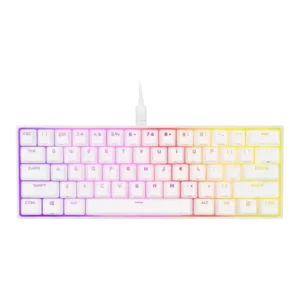
Typing comfort varied widely, from comfortable bottoming-out for some to mispresses, heavy-typing fatigue, and typo-prone adjustment for others.
Pros: switch feel, size and form factor
Cons: polling rate, value for money