Best for backlight brightness
Corsair K100 AIR
5.0 attribute score
Highest scored product for this attribute based on supporting review evidence.

Highest scored product for this attribute based on supporting review evidence.
Balances the attribute score, supporting reviews, and overall product strength.
Has the broadest review evidence for this attribute.
Strongest overall product among items with scored evidence for this attribute.

The two direct brightness judgments were strongly positive, with reviewers calling the RGB bright or much brighter than expected.
Pros: battery life, switch feel
Cons: value for money, ease of switch replacement

Backlight brightness is strongly praised where mentioned, especially by reviewers who call the lighting impressively bright.
Pros: extra gaming features, wrist rest quality
Cons: value for money, software quality

RGB output is bright and clearly visible even under strong room or video lighting, yet the white model can keep the glow soft rather than harsh.
Pros: overall satisfaction, macro customization
Cons: value for money, software quality

Brightness was judged strong enough for daylight visibility with readable legends.
Pros: typing feel, build quality
Cons: value for money, wireless performance

Backlight brightness earned positive remarks, with reviewers calling the lighting impressively bright or noting strong shine.
Pros: value for money, typing feel
Cons: wrist rest quality, media controls
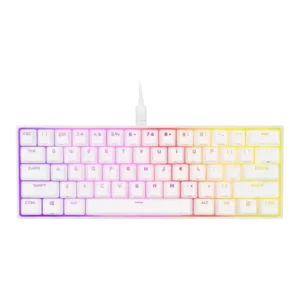
Backlight brightness earned positive marks, with reviewers praising vivid output and good white/light performance despite minor color caveats.
Pros: switch feel, size and form factor
Cons: polling rate, value for money

Reviewers generally found the lighting bright or visible around the caps, helped by the reflective plate, even though it does not shine through legends.
Pros: software quality, switch feel
Cons: legend visibility, extra gaming features

Backlighting was generally bright enough, with reviewers calling out bright RGB and visible lighting through the keycaps.
Pros: customization options, gaming performance
Cons: value for money, noise level

Backlight brightness evidence was limited but positive, with reviewers finding it visible without becoming distracting.
Pros: value for money, keycap quality
Cons: polling rate, acoustics

Brightness controls are available for the keyboard and display, and the LCD/lighting elements are considered clear enough in normal rooms. The control is useful, though not a major focus.
Pros: macro customization, switch feel
Cons: software quality, value for money

Backlighting was bright enough for low-light use and described as vibrant, with only minor caveats about presentation.
Pros: sound dampening, value for money
Cons: ergonomics, polling rate