Best for ergonomics
Corsair K70 MAX
4.5 attribute score
Highest scored product for this attribute based on supporting review evidence.

Highest scored product for this attribute based on supporting review evidence.
Balances the attribute score, supporting reviews, and overall product strength.
Has the broadest review evidence for this attribute.
Strongest overall product among items with scored evidence for this attribute.

Ergonomics were generally helped by the desk stability, soft palm rest, and incline, though the evidence focused on comfort rather than compactness.
Pros: customization options, gaming performance
Cons: value for money, noise level

Ergonomics are generally good due to comfort and wrist support, though some reviewers want a better wrist angle or note the large full-size layout.
Pros: extra gaming features, wrist rest quality
Cons: value for money, software quality

Ergonomics were mixed, with positive comments on height, palm support, and hand comfort but complaints about tall chassis positioning.
Pros: value for money, typing feel
Cons: wrist rest quality, media controls

Ergonomics are context-dependent. Some users like having controls closer to their hands, while others find the Stream Deck angle or keyboard legs less comfortable for visibility and reach.
Pros: macro customization, switch feel
Cons: software quality, value for money

The low height and adjustable feet can reduce wrist strain, but the compressed clusters and left-side SD keys divide users. Some adapted quickly; others remained uncomfortable or misaligned after days...
Pros: overall satisfaction, macro customization
Cons: value for money, software quality

Ergonomic feedback was mixed: adjustable feet helped some reviewers, but sharper edges and the missing wrist rest hurt long-session comfort for others.
Pros: software quality, switch feel
Cons: legend visibility, extra gaming features

Ergonomics were mixed, with comfortable angle options and wrist slopes offset by palm-rest interference in one review.
Pros: value for money, keycap quality
Cons: polling rate, acoustics

Ergonomics were mixed: some liked the feet and angle, while others wanted more adjustment or found the tall compact body uncomfortable.
Pros: sound dampening, value for money
Cons: ergonomics, polling rate

Ergonomic evidence was mixed, with some appreciation for adjustable feet but recurring criticism of stiffness, height, or wrist-angle strain.
Pros: typing feel, build quality
Cons: value for money, wireless performance

Ergonomic feedback was mixed: concave caps and low height helped comfort, but sharp edges, kickstand issues, and rough frame edges drew criticism.
Pros: battery life, switch feel
Cons: value for money, ease of switch replacement
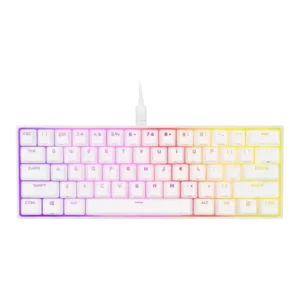
Ergonomics were mixed-to-negative because of fixed height, no angle adjustment, awkward shortcut reaches, and no incline options.
Pros: switch feel, size and form factor
Cons: polling rate, value for money