Best for switch options
Corsair K70 PRO
4.4 attribute score
Highest scored product for this attribute based on supporting review evidence.

Highest scored product for this attribute based on supporting review evidence.
Balances the attribute score, supporting reviews, and overall product strength.
Has the broadest review evidence for this attribute.
Strongest overall product among items with scored evidence for this attribute.

Switch selection was a consistent strength, with reviewers praising the range of Cherry MX options, though one review noted that some versions offered fewer variants.
Pros: value for money, keycap quality
Cons: polling rate, acoustics

Switch options were a recurring weakness because the base board ships only with linear MLX Reds, even though hot-swap mitigates that limitation.
Pros: software quality, switch feel
Cons: legend visibility, extra gaming features
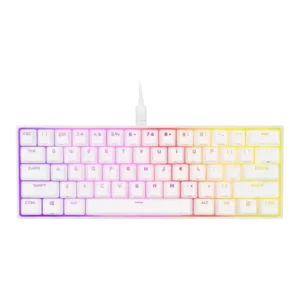
Switch options were viewed as serviceable but limited, with reviewers noting linear Cherry choices while questioning the lack of OPX/optical or broader options.
Pros: switch feel, size and form factor
Cons: polling rate, value for money

Out of the box, the switch choice is limited to the MLX Pulse linear switch. Hot-swap support softens that limitation because buyers can install compatible mechanical switches later.
Pros: macro customization, switch feel
Cons: software quality, value for money

Switch options scored low because a long-term reviewer wanted a linear version and felt limited to the tactile switches.
Pros: battery life, switch feel
Cons: value for money, ease of switch replacement

Switch choice was a limitation: reviewers liked the OPX feel but noted the narrow proprietary switch path for buyers who want broader switch variety.
Pros: sound dampening, value for money
Cons: ergonomics, polling rate

Switch options were weak because one reviewer specifically disliked the lack of tactile or clicky alternatives.
Pros: customization options, gaming performance
Cons: value for money, noise level

Switch-option evidence was limited and negative because standard MX tactile and clicky switches are not usable on the Hall Effect PCB.
Pros: typing feel, build quality
Cons: value for money, wireless performance

Switch choice is limited: reviewers noted buyers effectively get Corsair Red linear switches, with no tactile or clicky options for different preferences.
Pros: value for money, typing feel
Cons: wrist rest quality, media controls

Switch choice is viewed as limited because reviewers mention OPX and Cherry MX Speed variants, while one reviewer explicitly disliked the lack of a tactile option.
Pros: extra gaming features, wrist rest quality
Cons: value for money, software quality

Only fixed OPX optical switches are offered, with no Hall Effect, alternate feel, or adjustable-actuation option for buyers who want deeper switch choice.
Pros: overall satisfaction, macro customization
Cons: value for money, software quality