Best for key spacing
Corsair K65 Plus
4.8 attribute score
Highest scored product for this attribute based on supporting review evidence.

Highest scored product for this attribute based on supporting review evidence.
Balances the attribute score, supporting reviews, and overall product strength.
Has the broadest review evidence for this attribute.
Strongest overall product among items with scored evidence for this attribute.

Key spacing evidence was limited but very positive, with one reviewer saying the keys felt naturally placed and reduced mis-hits.
Pros: software quality, switch feel
Cons: legend visibility, extra gaming features

Key spacing was praised for avoiding a cramped feel and helping fingers move accurately across the compact deck.
Pros: sound dampening, value for money
Cons: ergonomics, polling rate

The compact layout was still considered usable, with enough arrow-key spacing and little sense of cramping.
Pros: typing feel, build quality
Cons: value for money, wireless performance
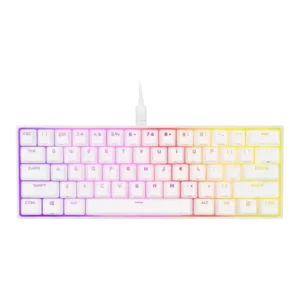
Key spacing was praised because the compact layout did not feel compressed and maintained comfortable distances.
Pros: switch feel, size and form factor
Cons: polling rate, value for money

Key spacing gets limited but positive feedback. One reviewer found the spacing better than a smaller keyboard and said the keys felt light and soft.
Pros: macro customization, switch feel
Cons: software quality, value for money

Only one review directly judged spacing, positively noting that extra space between keys helped finger positioning.
Pros: battery life, switch feel
Cons: value for money, ease of switch replacement

Key spacing had limited evidence, with one review saying the keys were well spaced despite some wobble.
Pros: value for money, keycap quality
Cons: polling rate, acoustics

Key spacing is mixed, with praise for standard bottom-row spacing but complaints that the left G keys can cause reaches or accidental presses.
Pros: extra gaming features, wrist rest quality
Cons: value for money, software quality

The compressed 99% arrangement is the most repeated usability complaint. Close clusters and the extra left column can cause wrong-key presses, mistyped words, and a meaningful learning curve.
Pros: overall satisfaction, macro customization
Cons: value for money, software quality