
Connectivity is repeatedly praised for wired, Bluetooth, and 2.4GHz options, with several reviewers calling switching or setup easy.
Pros: portability, value for money
Cons: software quality, key spacing

Connectivity is repeatedly praised for wired, Bluetooth, and 2.4GHz options, with several reviewers calling switching or setup easy.
Pros: portability, value for money
Cons: software quality, key spacing
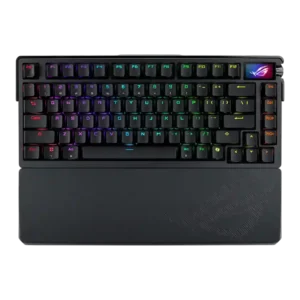
Connectivity was praised for tri-mode support, seamless wireless setup, Bluetooth flexibility, and USB-port-saving receiver options.
Pros: build quality, customization options
Cons: value for money, rapid trigger support

Connectivity was a major positive: wired, 2.4GHz, and Bluetooth modes were repeatedly described as versatile, smooth, and easy to use.
Pros: software quality, switch feel
Cons: legend visibility, extra gaming features

Connectivity was praised for Bluetooth, 2.4GHz, wired use, easy setup, and multi-device wireless options.
Pros: size and form factor, typing feel
Cons: switch options, portability

Connectivity is broadly strong thanks to wired, Bluetooth, and 2.4GHz options, although one reviewer found the mode switch fiddly.
Pros: value for money, software quality
Cons: switch options, ergonomics

Connectivity was a strength overall thanks to wired, 2.4GHz, and Bluetooth options, though one reviewer disliked the hidden connection controls.
Pros: gaming performance, switch feel
Cons: value for money, extra gaming features

Connectivity was generally strong across Bluetooth, 2.4GHz, and wired use, though side-port design and occasional wake behavior created caveats.
Pros: value for money, design aesthetics
Cons: cable quality, ergonomics

Connectivity was mostly strong thanks to wired, Bluetooth, and 2.4GHz options, though one reviewer disliked flipping the rear switch between modes.
Pros: build quality, switch feel
Cons: switch options

Connectivity was widely praised for tri-mode flexibility and easy switching, with the main caveat being limited multi-device Bluetooth support.
Pros: value for money, battery life
Cons: hot-swappable switches, noise level
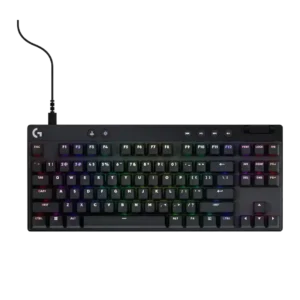
Connectivity is usually praised for easy Bluetooth/Lightspeed switching and stable use, but one reviewer disliked that a TKL unit could only be used wirelessly.
Pros: build quality, software quality
Cons: value for money, hot-swappable switches

Connectivity is strong on wireless models thanks to tri-mode and multi-device support, while wired-only versions are treated as a limitation.
Pros: typing feel, gaming performance
Cons: software quality, value for money

Connectivity ranged from smooth setup and simple wired use to serious wireless/dongle complaints in one PCMag review.
Pros: value for money, rapid trigger support
Cons: media controls, stabilizer quality

Reviewers liked the mix of Lightspeed, Bluetooth, and wired modes, but Bluetooth limitations and single-profile comments kept this from being uniformly perfect.
Pros: switch feel, battery life
Cons: volume control, media controls
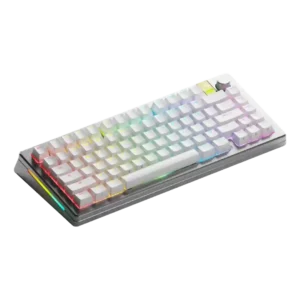
Connectivity was mostly positive, with decent options and no issues in one review, offset by unclear Bluetooth pairing and selector labeling in another.
Pros: customization options, gaming performance
Cons: value for money, software quality

Connectivity was praised for easy wired plug-and-play and USB-C, but several reviewers disliked the lack of wireless choice.
Pros: value for money, keycap quality
Cons: polling rate, acoustics

Connectivity was mixed: reviewers liked the wireless and tri-mode feature set, but noted mode-switch delay, visible front controls, and minor connectivity issues.
Pros: customization options, build quality
Cons: connectivity
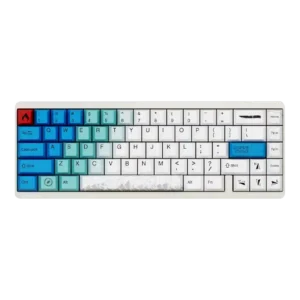
Connectivity had a small caveat because one reviewer found the USB-C opening too narrow for a coiled cable.
Pros: design aesthetics, build quality
Cons: software quality, customization options
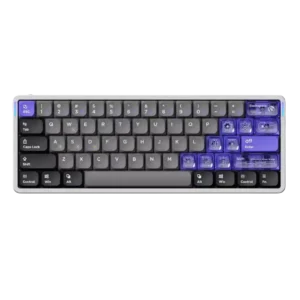
Connectivity was the most repeated drawback because the board is wired-only and side USB or cable placement bothered several reviewers.
Pros: software quality, switch feel
Cons: connectivity, layout options