Best for Start and Select button design
Corsair Novablade Pro
5.0 attribute score
Highest scored product for this attribute based on supporting review evidence.

Highest scored product for this attribute based on supporting review evidence.
Balances the attribute score, supporting reviews, and overall product strength.
Has the broadest review evidence for this attribute.
Strongest overall product among items with scored evidence for this attribute.
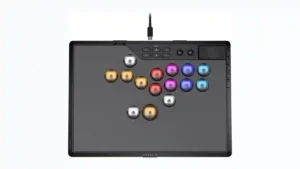
The pause and top-panel controls are easier to reach than on the reviewer’s previous controller, making menu access a meaningful quality-of-life improvement.
Pros: overall satisfaction, button quality
Cons: control placement, button noise
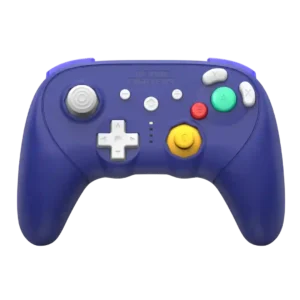
The simplified plus, minus, and Home area gives the front face a cleaner, more streamlined look than earlier Retro Fighters GameCube pads.
Pros: overall satisfaction, overall comfort
Cons: button quality, value for money
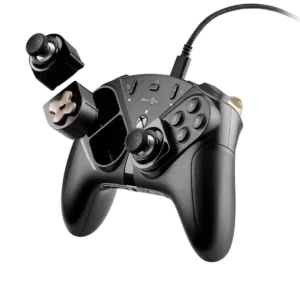
The View and Menu controls are more prominent than on some related Thrustmaster designs, making them easier to find in play.
Pros: overall satisfaction, customization depth
Cons: value for money, upgrade value
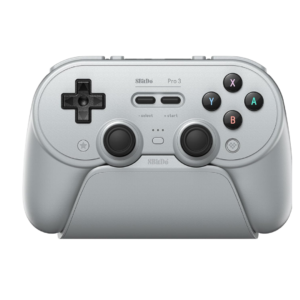
Start and Select preserve the soft retro feel, but many users find them mushy, cramped together, or awkwardly centered. They stand out as less immediate than the surrounding controls.
Pros: overall satisfaction, charging dock support
Cons: button noise, 2.4GHz dongle performance

Menu, View, and Share controls are a recurring weak spot because they sit too flat, too small, or too far from the thumbs. They can be easy to miss by...
Pros: overall satisfaction, value for money
Cons: wired performance, vibration quality
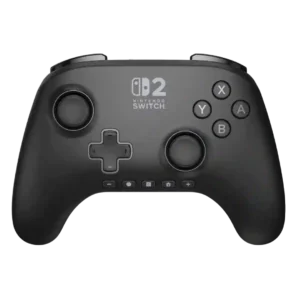
The Plus/Minus placement is the most consistent design complaint. Their small, identical bottom-row position disrupts muscle memory and makes quick presses harder.
Pros: overall satisfaction, design and aesthetics
Cons: Switch wake support, Start and Select button design
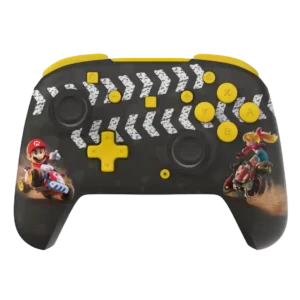
Rearranged Home, Capture, plus, and minus controls are a recurring annoyance on Switch models, causing repeated accidental presses until muscle memory adjusts.
Pros: overall satisfaction, value for money
Cons: premium feel, vibration quality
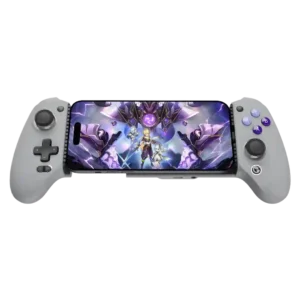
Start, Select, Menu, and mode functions provide useful shortcuts, but the layout can become crowded. The capture and macro controls beneath the D-pad are especially easy to trigger accidentally.
Pros: overall satisfaction, overall comfort
Cons: phone grip and fit, durability

The extra ROG Ally shortcut keys repeatedly interfere with the usual Start/View layout. Several testers hit the wrong button or found the real menu controls awkward to reach.
Pros: overall satisfaction, button quality
Cons: d-pad accuracy, charging dock support